Google Ads
Negative Keywords Guide - Cut Wasted Spend in Google Ads (2026)

Category: Google Ads
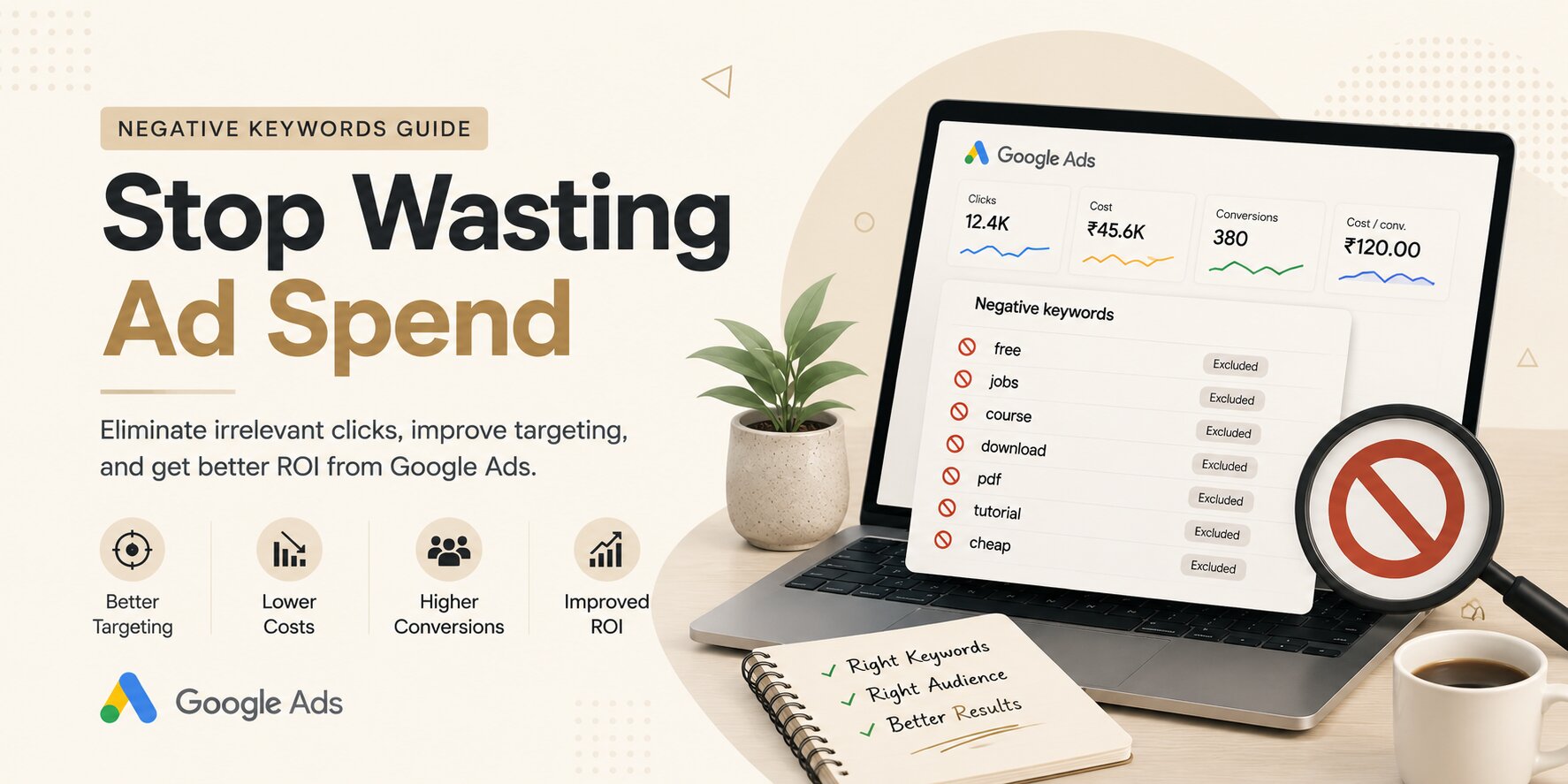
Negative Keywords Guide: Stop Wasting Ad Spend & Improve Google Ads ROI
Every advertiser wants more conversions while spending less on ads. Yet one of the biggest reasons businesses lose money in Google Ads isn't poor ad copy or low budgets—it's showing ads for the wrong searches.
If you've ever wondered why your campaigns receive plenty of clicks but very few leads or sales, there's a good chance you're missing a solid negative keyword strategy.
Negative keywords help Google understand which searches should NOT trigger your ads. Instead of paying for irrelevant traffic, you can focus your budget on people who are actually looking for your products or services.
Whether you're running campaigns yourself or working with a professional Google Ads Agency, mastering negative keywords can significantly improve your campaign performance.
What Are Negative Keywords?
Negative keywords are search terms that prevent your ads from appearing when someone searches for those words or phrases.
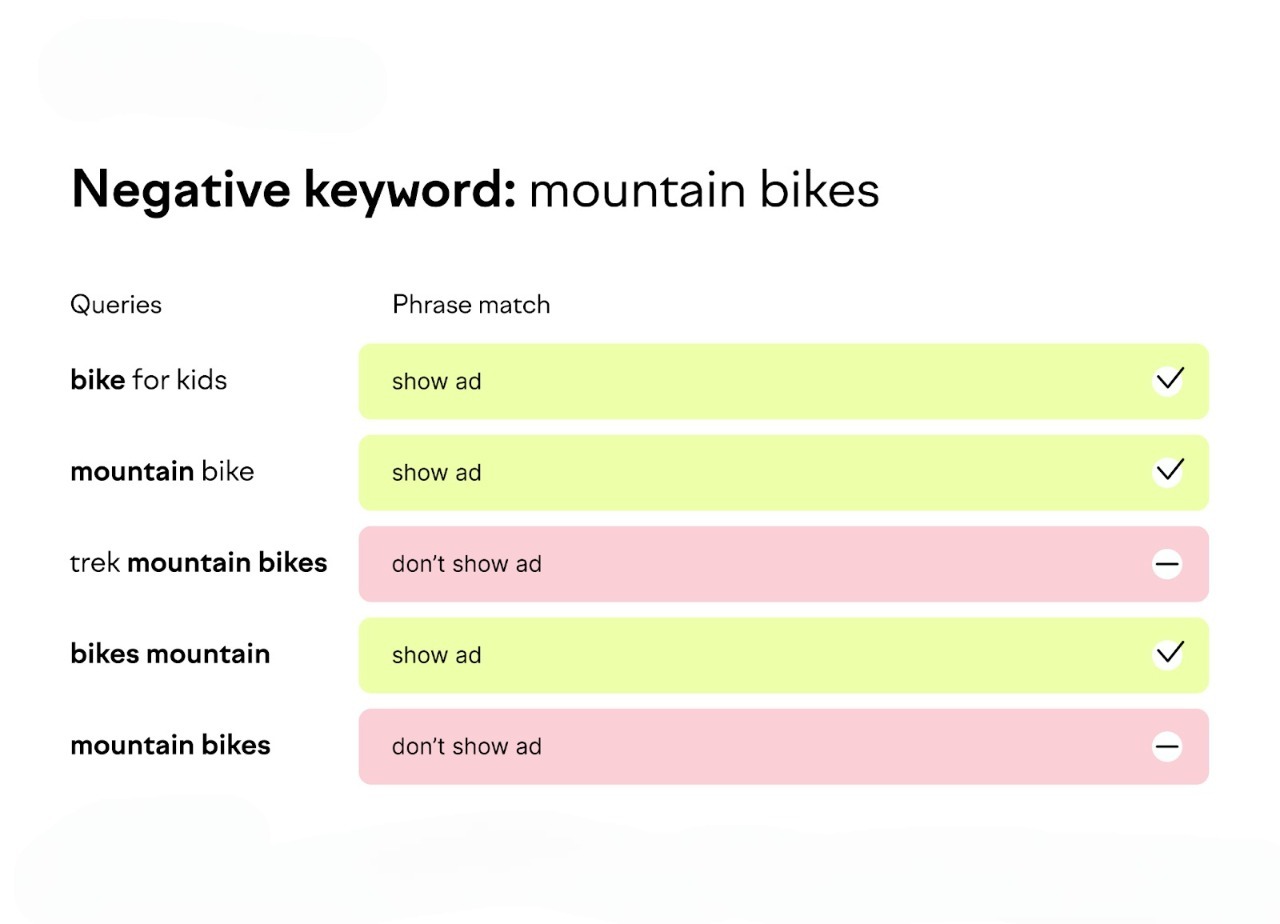
For example, if you sell premium CRM software, you probably don't want your ads appearing for searches like:
- free CRM software
- CRM jobs
- CRM internship
- CRM course
- CRM PDF
Adding words like free, jobs, internship, course, and PDF as negative keywords ensures your ads only appear for potential customers instead of people looking for something entirely different.
Why Negative Keywords Matter
Many advertisers spend hours optimizing bids, testing headlines, and improving landing pages while completely ignoring search intent.
Negative keywords solve several expensive problems at once.

1. Reduce Wasted Ad Spend
Every irrelevant click costs money.
Blocking poor-quality searches means more of your budget goes toward users who are likely to convert.
2. Increase Click-Through Rate (CTR)
When your ads appear only for relevant searches, users are more likely to click.
Higher CTR often improves your Quality Score.
3. Improve Conversion Rate
Better targeting means visitors arrive with stronger purchase intent.
As irrelevant traffic decreases, conversion rates generally improve.
4. Improve Return on Ad Spend (ROAS)
Instead of paying for curiosity clicks, your budget focuses on qualified prospects.
That often leads to lower CPA and higher ROAS.
How Google Uses Negative Keywords
Whenever someone performs a search, Google compares that search with:
- Your keywords
- Your negative keywords
If the search contains one of your negative keywords (depending on match type), Google prevents your ad from showing.
Think of it as adding filters that remove unwanted traffic before you pay for it.
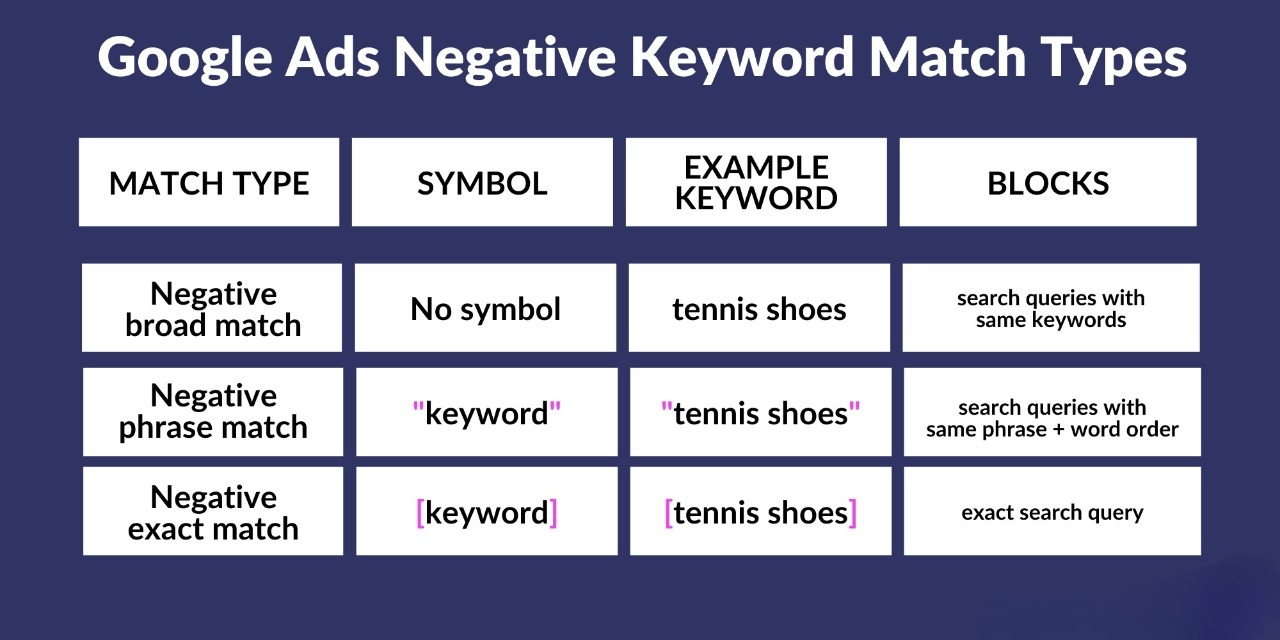
Types of Negative Keyword Match Types
Understanding match types is essential.
Negative Broad Match
This is the default option.
Example:
Negative keyword:
free shoes
Your ad won't show for:
- free shoes
- shoes free
But it could still show for:
- free running sneakers
Negative Phrase Match
Example:
"free shoes"
Your ad won't show if the search contains that exact phrase.
Examples blocked:
- free shoes online
- best free shoes
Negative Exact Match
Example:
[free shoes]
Only blocks the exact search.
Searches like:
- free shoes online
may still trigger your ads.
Where to Find Negative Keywords
One of the best sources is the Search Terms Report.
Go to:
Google Ads → Campaign → Insights & Reports → Search Terms
This report shows exactly what people searched before clicking your ad.
Look for searches that:
- Never convert
- Have high spend
- Are unrelated to your business
- Indicate research rather than buying intent
These become excellent candidates for your negative keyword list.
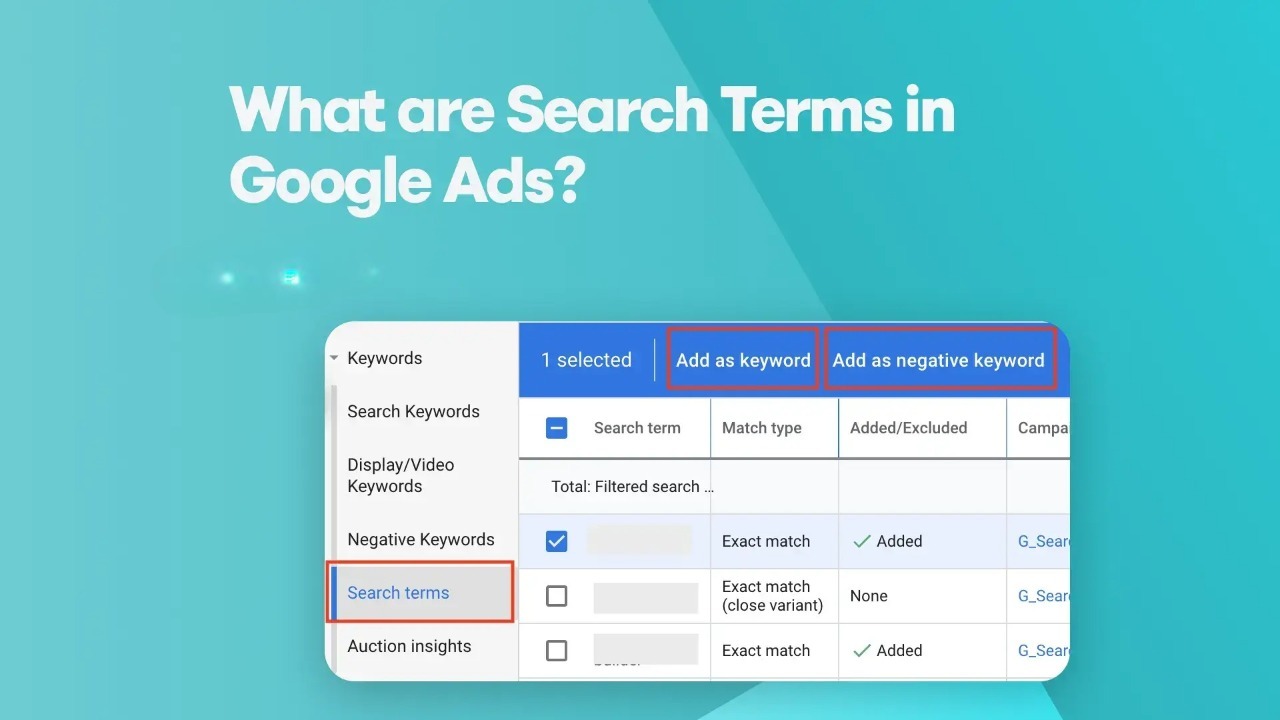
For businesses tracking every conversion correctly using Conversion Tracking, this report becomes even more valuable because you can identify search terms that spend money without generating leads or sales.
Common Negative Keywords for Most Businesses
While every account is different, these keywords frequently waste budget.
Job Seekers
- jobs
- careers
- hiring
- internship
- salary
Free Searches
- free
- trial
- download
- crack
- torrent
Learning Intent
- course
- tutorial
- training
- certification
Research Intent
- definition
- meaning
- examples
- template
Support Queries
- customer care
- helpline
- login
- support number
DIY Searches
- how to make
- DIY
- homemade
Industry Examples
Google Ads Agency
Negative keywords:
- free Google Ads
- Google Ads certification
- Google Ads course
- Google Ads jobs
- Google Ads salary
Ecommerce Store
Negative keywords:
- free
- used
- second hand
- repair
- wholesale (if not applicable)
Dentist
Negative keywords:
- dentist jobs
- dental college
- dental course
- free treatment
Software Company
Negative keywords:
- cracked software
- GitHub
- source code
- tutorial
- documentation
Create Shared Negative Keyword Lists
Instead of adding the same negatives repeatedly, use shared lists.
Examples:
Employment List
- jobs
- hiring
- vacancy
- careers
Education List
- course
- tutorial
- notes
Free List
- free
- cheap
- download
Apply these lists across multiple campaigns.
Don't Add Too Many Negative Keywords
Some advertisers go overboard.
For example:
Adding:
cheap
might accidentally block users searching for:
Affordable CRM software for small business
which could still convert.
Always check whether a keyword is genuinely hurting campaign performance before blocking it.
Monitor Search Terms Regularly
Negative keyword optimization isn't a one-time task.
Successful advertisers review search terms:
- Weekly for new campaigns
- Every two weeks for active accounts
- Monthly for mature campaigns
Small improvements compound over time.
Mistakes to Avoid
Ignoring Search Terms
Many advertisers never review search queries after launching campaigns.
This often becomes the biggest source of wasted spend.
Using Only Broad Match Keywords
Broad match without proper negatives can generate irrelevant traffic quickly.
Balance broad targeting with strong exclusions.
Blocking Valuable Keywords
Always verify before adding a negative keyword.
One incorrect exclusion can eliminate profitable traffic.
Forgetting Brand Variations
If you're running campaigns for different products, avoid accidentally blocking branded searches that convert well.
Advanced Tips for Better Campaign Performance
Segment Campaigns by Intent
Separate campaigns for:
- Commercial keywords
- Informational keywords
- Brand keywords
Each campaign can have its own negative keyword strategy.
Use Competitor Names Carefully
If competitor searches never convert, consider adding them as negatives.
However, test first before excluding them permanently.
Review Performance After Adding Negatives
Watch metrics like:
- CTR
- CPC
- Conversion Rate
- CPA
- ROAS
The goal isn't simply fewer clicks.
It's more qualified clicks.
Negative Keywords + Landing Pages = Better ROI
Negative keywords bring better visitors.
Landing pages convert those visitors.
That's why businesses often combine Google Ads optimization with Landing Page Optimization to maximize conversions.
Improving both traffic quality and user experience usually delivers better long-term results.
How Scale With Clicks Can Help
At Scale With Clicks, we regularly audit Google Ads accounts where 20–40% of ad spend is being wasted on irrelevant search terms.
Our optimization process includes:
- Comprehensive search term audits
- Negative keyword research
- Campaign restructuring
- Conversion tracking implementation
- Landing page optimization
- Performance reporting
The result is cleaner traffic, lower acquisition costs, and stronger ROI.
Final Thoughts
Negative keywords are one of the simplest yet most effective ways to improve Google Ads performance.
Instead of constantly increasing budgets, focus on eliminating wasted spend first.
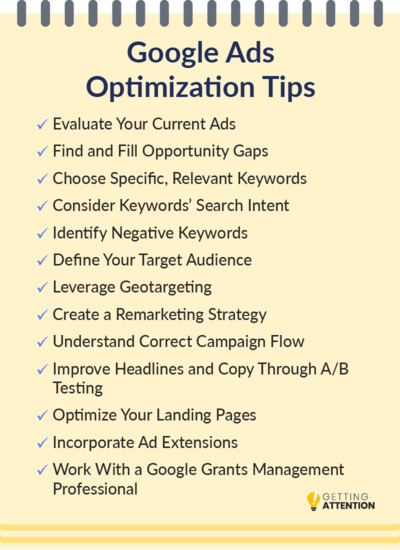
Regularly reviewing search terms, building shared negative keyword lists, and refining campaigns based on user intent can dramatically improve click quality and conversion rates over time.
If you're serious about getting better results from Google Ads, negative keywords shouldn't be an afterthought—they should be part of your ongoing optimization strategy.
Frequently Asked Questions
What are negative keywords in Google Ads?
Negative keywords prevent your ads from appearing for irrelevant searches. They help reduce wasted ad spend and improve campaign performance by filtering out low-intent traffic.
How often should I update my negative keywords?
For most accounts, reviewing the Search Terms Report every week or every two weeks is recommended. High-budget campaigns may require even more frequent monitoring.
Where can I find negative keyword ideas?
The Search Terms Report in Google Ads is the best place to identify irrelevant queries. You can also use Google Search suggestions, Keyword Planner, competitor research, and your own customer insights.
Can negative keywords improve Quality Score?
Yes. By preventing irrelevant impressions and clicks, negative keywords often increase CTR and improve Quality Score over time.
Should every campaign have its own negative keywords?
Yes. While shared negative keyword lists are useful, each campaign should also have campaign-specific negatives based on its targeting and objectives.
Can too many negative keywords hurt performance?
Absolutely. Blocking valuable search terms by mistake can reduce impressions and conversions. Always review search intent before adding new exclusions.