Tracking
Why Your Conversion Data Is Wrong (And How to Fix It)

Category: Tracking
Why Your Conversion Data Is Wrong (And How to Fix It)
If your Google Ads campaigns seem profitable but revenue isn't growing, or if your analytics platform shows different conversion numbers than your CRM, you're not alone.
One of the biggest challenges businesses face today isn't generating traffic—it's trusting the data they're using to make marketing decisions.
Many businesses invest thousands in paid advertising, SEO, social media marketing, and lead generation campaigns, only to discover later that their conversion tracking was inaccurate from the start. When conversion data is wrong, every marketing decision becomes a guess.
The result?
- Wasted ad spend
- Incorrect campaign optimization
- Poor lead quality assessment
- Inflated ROI reporting
- Missed growth opportunities
In this guide, we'll explore the most common reasons conversion data becomes inaccurate and the practical steps you can take to fix it.
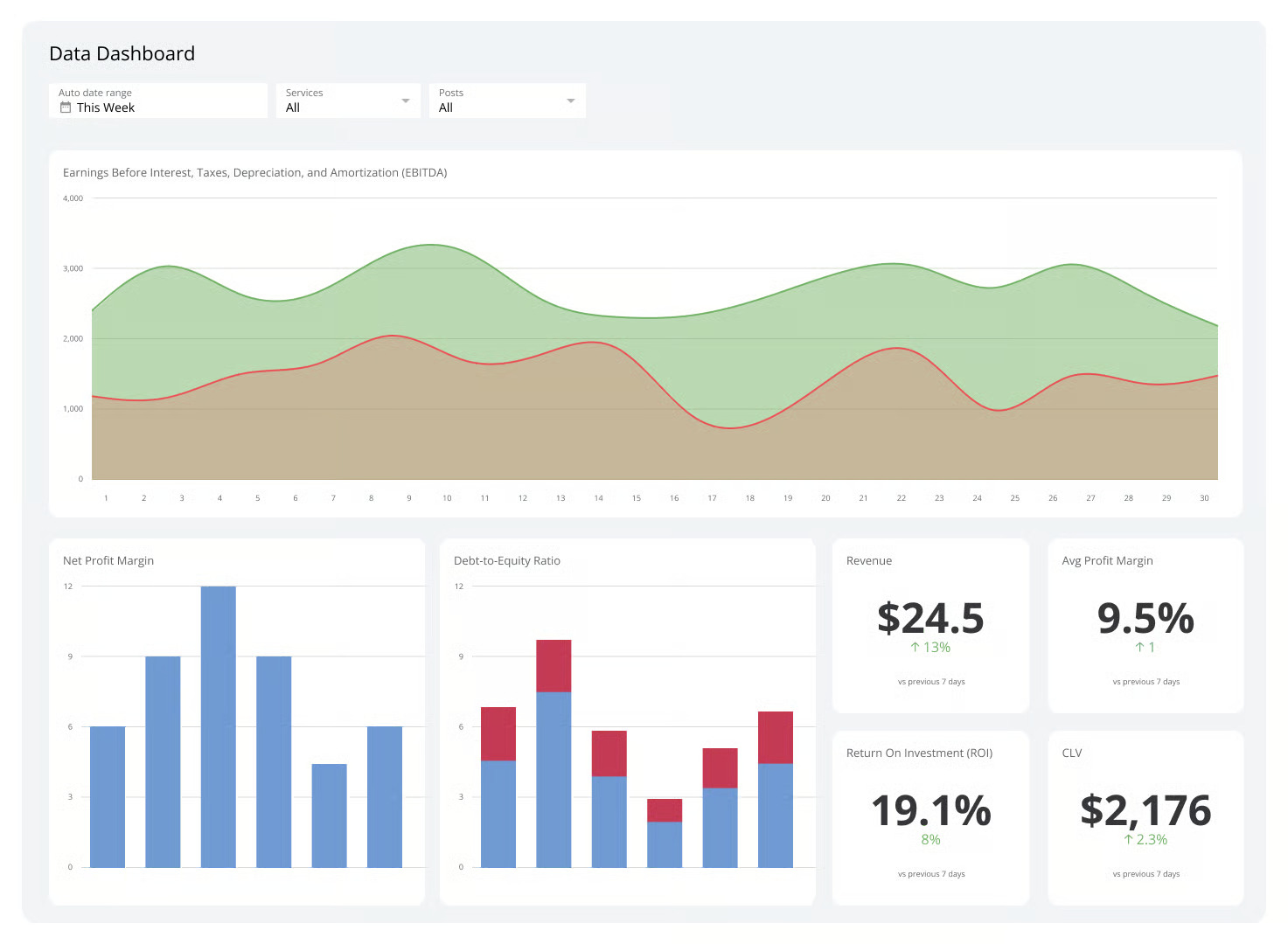
Why Accurate Conversion Tracking Matters
Conversion tracking is the foundation of modern digital marketing.
Whether you're running campaigns through Google Ads, Meta Ads, LinkedIn, or organic SEO, every optimization decision depends on reliable data.
Without accurate conversion tracking, you cannot confidently answer:
- Which campaigns generate leads?
- Which keywords drive revenue?
- What is your true cost per acquisition?
- Which landing pages convert best?
- Where should your marketing budget go?
Businesses that focus on proper measurement typically achieve better returns because they're optimizing based on facts rather than assumptions.
If you're investing in paid advertising, our guide on 7 Costly Google Ads Mistakes That Are Wasting Your Budget highlights additional issues that frequently impact campaign performance.
1. Multiple Tracking Systems Are Counting The Same Conversion
One of the most common tracking issues occurs when businesses install multiple tracking solutions without proper configuration.
For example:
- Google Ads Conversion Tracking
- GA4 Events
- Google Tag Manager
- CRM Tracking
- Call Tracking Software
If each system records the same action independently, conversions can become duplicated.
A single form submission might appear as:
- 1 conversion in Google Ads
- 1 conversion in GA4
- 1 conversion in GTM
- 1 lead in CRM
When reporting is not aligned, marketers often assume they generated four conversions instead of one.
How To Fix It
- Define one primary source of truth.
- Audit all conversion events.
- Remove duplicate firing triggers.
- Test every conversion path manually.
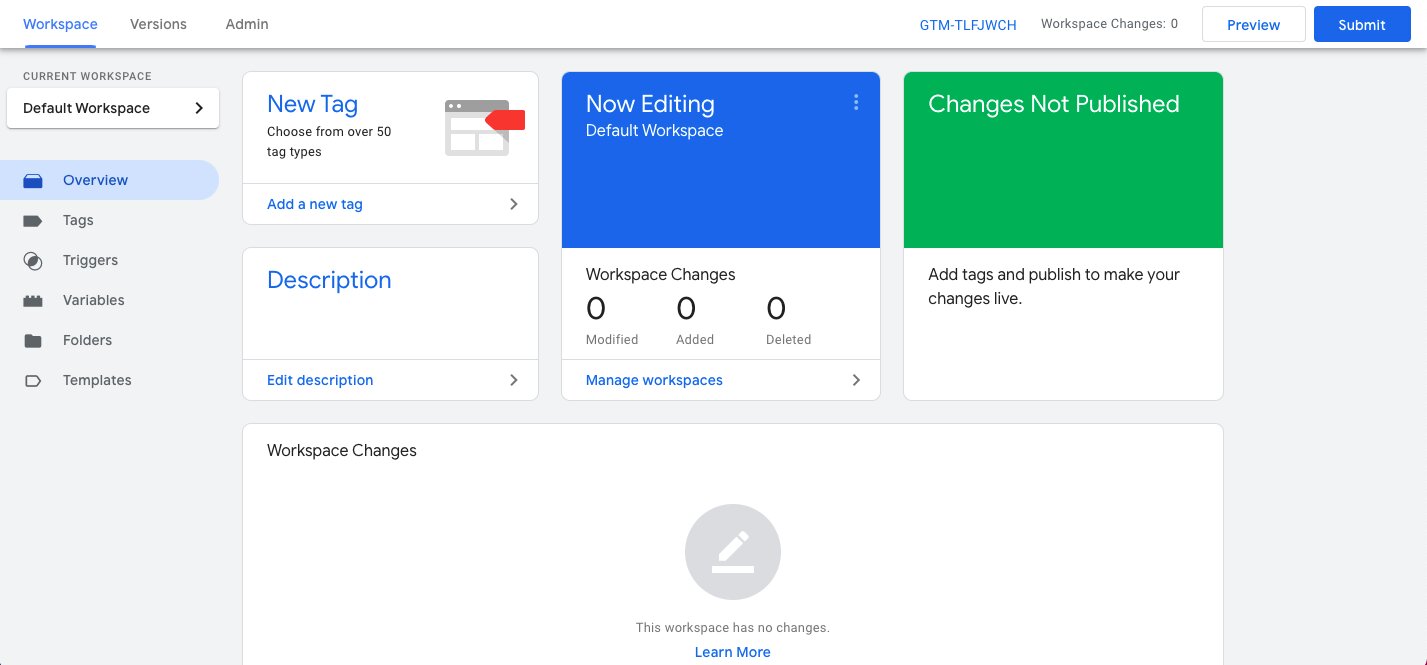
- Use Google Tag Manager Preview Mode regularly.
2. Your Thank You Page Tracking Is Broken
Many websites still rely on destination URL tracking.
For example:
/thank-you
When a user reaches this page, a conversion is recorded.
The problem?
Users may:
- Refresh the page
- Bookmark the page
- Visit directly later
- Share the URL
This inflates conversion counts significantly.
Better Alternative
Use event-based tracking instead of pageview tracking.
Track:
- Form submission success
- Qualified lead creation
- Purchase completion
- Booking confirmation
Modern event tracking through GA4 provides far more accurate measurement.
You can learn more about website optimization best practices on Scale With Clicks.
3. Cookie Restrictions Are Blocking Conversion Data
Privacy regulations continue to reshape digital marketing.
Modern browsers increasingly limit:
- Third-party cookies
- Tracking scripts
- Attribution windows
Safari, Firefox, and privacy-focused browsers often prevent tracking tools from capturing complete user journeys.
As a result:
- Conversions go unreported
- Attribution becomes fragmented
- Campaign ROI appears lower than reality
How To Fix It
Implement:
- First-party tracking
- Enhanced Conversions
- Server-side tagging
- CRM integration
- Offline conversion imports
Businesses investing heavily in advertising should consider professional Google Ads Management Services to ensure tracking infrastructure is configured correctly.
4. Cross-Domain Tracking Is Missing
Imagine this scenario:
A user visits:
yourwebsite.com
Then moves to:
booking.yourwebsite.com
Or a third-party checkout platform.
Without proper cross-domain tracking, analytics platforms may treat the user as a completely new visitor.
This breaks attribution and causes conversion loss.
Common Examples
- Calendly bookings
- Shopify checkouts
- Payment gateways
- Membership portals
- CRM-hosted forms
Solution
Configure:
- Cross-domain tracking in GA4
- Referral exclusion lists
- Session continuity settings
This ensures the entire customer journey remains connected.
5. You're Tracking Leads Instead Of Revenue
Many businesses celebrate generating hundreds of leads.
But not all leads become customers.
Tracking only form submissions creates misleading performance reports.
Example:
Campaign A:
- 100 leads
- 5 sales
Campaign B:
- 40 leads
- 20 sales
Traditional conversion tracking favors Campaign A.
Revenue tracking favors Campaign B.
What To Do
Track deeper funnel metrics:
- Qualified leads
- Sales opportunities
- Closed deals
- Revenue generated
- Customer lifetime value
Businesses focused on scaling should align marketing and sales reporting to measure actual business outcomes rather than vanity metrics.
6. Attribution Models Are Giving Credit To The Wrong Channel
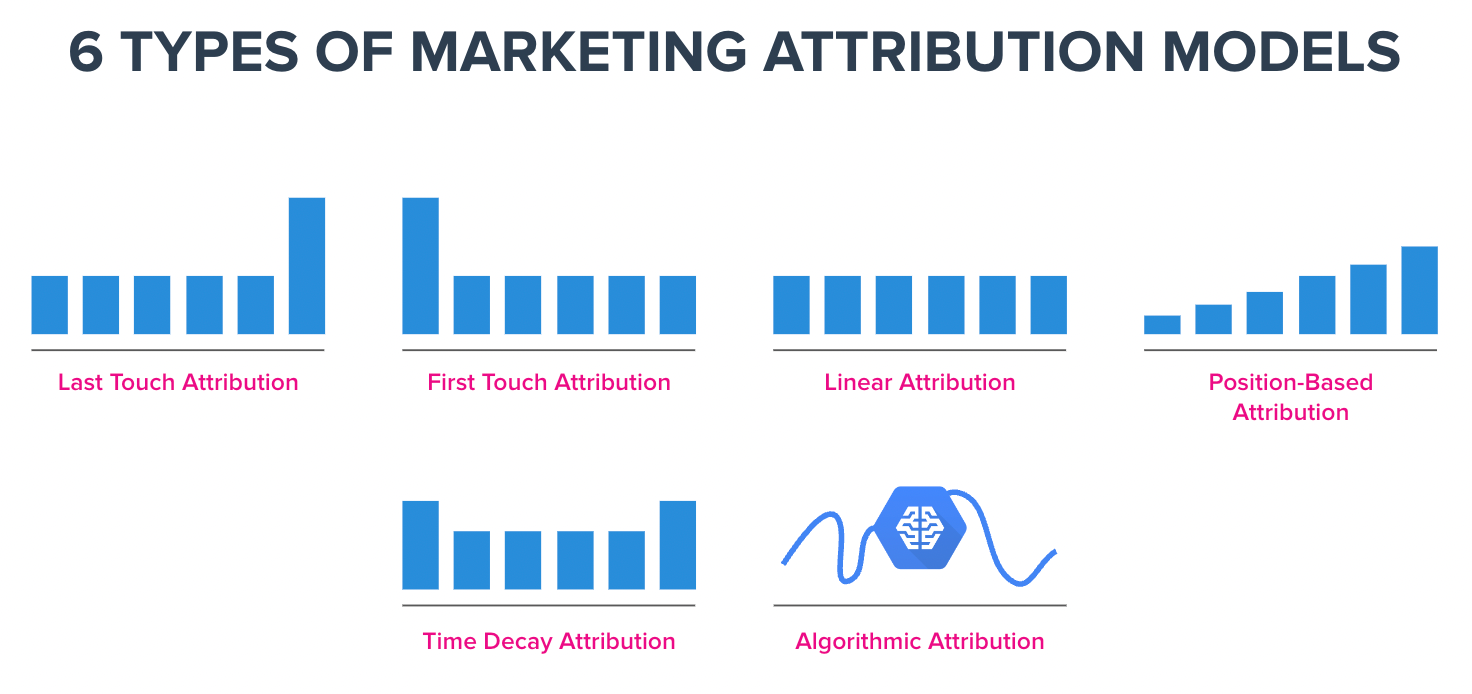
Many marketers still rely on Last Click Attribution.
This model gives 100% credit to the final touchpoint.
Example:
- User finds blog through SEO
- Returns via Facebook
- Clicks Google Ads
- Converts
Last Click Attribution gives all credit to Google Ads.
SEO and Facebook receive none.
This can lead to poor budget decisions.
Recommended Approach
Compare:
- Data-driven attribution
- Position-based attribution
- First-click attribution
- Linear attribution
Reviewing multiple attribution models provides a clearer understanding of the customer journey.
Our SEO Services team frequently discovers attribution errors that underestimate organic search performance.
7. Bot Traffic Is Polluting Your Analytics
Not every visitor is human.
Bots can:
- Submit forms
- Trigger events
- Visit landing pages
- Inflate engagement metrics
This creates misleading conversion reports.
Signs Of Bot Traffic
- Extremely low session duration
- 100% conversion rates from unusual locations
- High traffic spikes
- Strange referral sources
Fixes
- Enable bot filtering
- Add reCAPTCHA
- Use server-side validation
- Monitor suspicious IP addresses
- Review traffic quality regularly
8. Offline Conversions Are Missing
Many businesses close sales through:
- Phone calls
- Sales teams
However, these conversions never reach advertising platforms.
As a result, campaigns generating real revenue may appear unprofitable.
Solution
Implement:
- CRM integrations
- Offline conversion imports
- Call tracking software
- Revenue syncing
This provides a complete view of marketing performance.
Businesses investing in lead generation should ensure every sales outcome is connected back to the original marketing source.
9. GA4 Events Are Configured Incorrectly
GA4 provides flexibility but also introduces complexity.
Common mistakes include:
- Wrong event naming conventions
- Missing parameters
- Duplicate event triggers
- Broken GTM configurations
- Incorrect conversion settings
Even small implementation errors can distort reporting.
Audit Checklist
Check:
- Event firing conditions
- Conversion configuration
- Enhanced Measurement settings
- DebugView reports
- Tag Manager triggers
A comprehensive analytics audit can uncover issues before they impact marketing decisions.
10. Nobody Has Actually Tested The Tracking
Surprisingly, many businesses launch tracking systems and never validate them.
Just because tags are installed doesn't mean they work correctly.
Essential Testing Process
- Submit test forms.
- Verify event firing.
- Confirm GA4 recording.
- Check Google Ads conversion imports.
- Validate CRM synchronization.
- Compare lead counts weekly.
Routine testing prevents months of inaccurate reporting.
How To Audit Your Conversion Tracking
Use this quick checklist:
Tracking Audit Checklist
✅ GA4 properly installed
✅ Google Tag Manager configured correctly
✅ No duplicate conversion events
✅ Cross-domain tracking enabled
✅ Enhanced Conversions enabled
✅ CRM integrated
✅ Offline conversions imported
✅ Attribution model reviewed
✅ Bot filtering active
✅ Monthly tracking tests completed
If any of these are missing, your conversion data may not be fully accurate.
Final Thoughts
The success of any digital marketing strategy depends on accurate measurement.
When conversion data is wrong, businesses optimize the wrong campaigns, pause profitable channels, and waste budget chasing misleading metrics.
The good news is that most tracking problems are fixable.
By auditing your analytics setup, validating conversion paths, improving attribution, and connecting marketing data to actual revenue, you'll gain a much clearer picture of what is driving growth.
Before increasing your advertising budget, make sure your measurement foundation is solid. Better data leads to better decisions, better campaigns, and ultimately better business results.
Frequently Asked Questions
Why are my Google Ads conversions different from GA4?
Google Ads and GA4 use different attribution models, reporting windows, and tracking methods. Differences are normal, but large discrepancies often indicate implementation issues.
How often should I audit conversion tracking?
A complete tracking audit should be performed quarterly, with basic testing conducted monthly.
What is the biggest conversion tracking mistake?
Duplicate conversions caused by multiple tracking systems firing for the same action is one of the most common issues.
Is GA4 enough for conversion tracking?
GA4 is powerful, but businesses should also integrate CRM data, offline conversions, and revenue tracking for complete visibility.
How do I improve attribution accuracy?
Use data-driven attribution, enable Enhanced Conversions, implement server-side tracking, and connect CRM revenue data back to marketing platforms.
Can privacy regulations affect conversion tracking?
Yes. Browser restrictions, cookie limitations, and privacy regulations can reduce attribution accuracy if modern tracking methods are not implemented.