Google Ads
Google Ads for eCommerce - How to Scale Profitably

Category: Google Ads
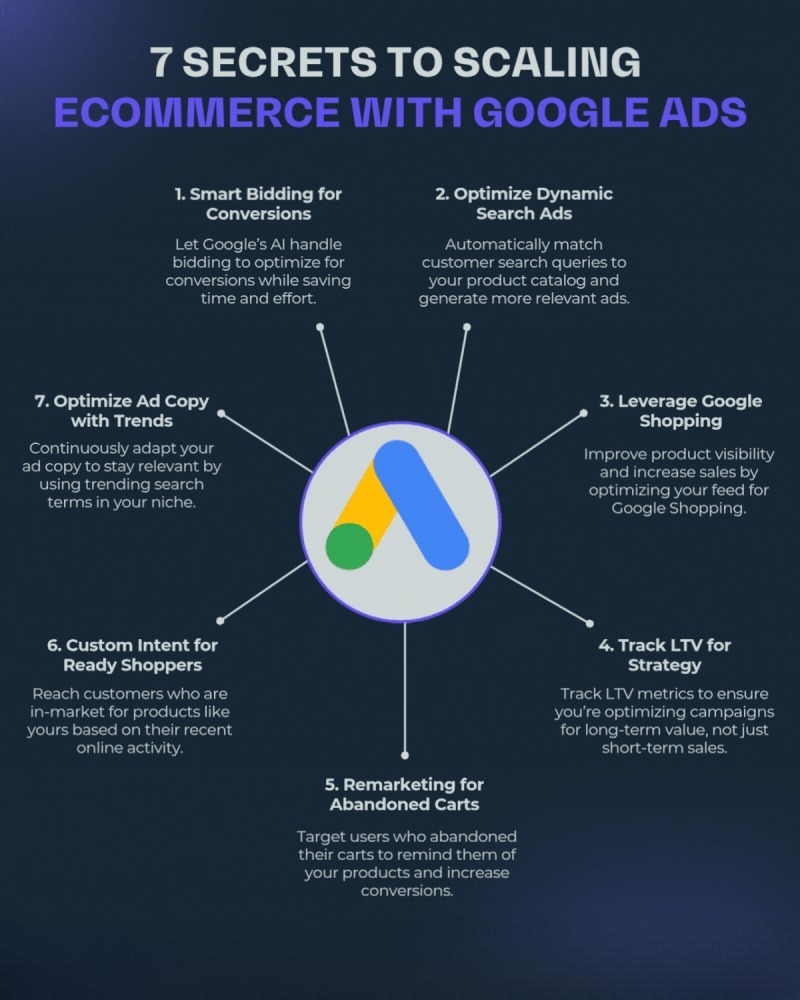
Google Ads for eCommerce: How to Scale Profitably
Running Google Ads for an eCommerce store is relatively easy. Scaling those campaigns while maintaining profitability is where most brands struggle.
Many online stores experience early success with Google Ads, only to see their Return on Ad Spend (ROAS) decline as budgets increase. Costs rise, conversion rates drop, and profit margins shrink. The challenge isn't generating more sales—it's generating profitable sales consistently.
Whether you're a growing DTC brand, a fashion retailer, or a niche online store, this guide will show you how to scale Google Ads without sacrificing profitability.
Why Most eCommerce Stores Fail When Scaling Google Ads
A common mistake among store owners is increasing budgets aggressively after seeing initial success.
Instead of improving campaign efficiency, they simply spend more money.
This often results in:
- Higher CPCs
- Reduced ROAS
- Audience saturation
- Poor product feed performance
- Wasted ad spend on low-intent traffic
Before increasing budgets, ensure your account structure, tracking, and optimization foundation are strong.
If you're still setting up your account structure, check our guide on Technical SEO Basics Every Website Needs to ensure your website is optimized for traffic and conversions.
Step 1: Build a Strong Tracking Foundation
Scaling begins with accurate data.
Google's machine learning relies heavily on conversion signals. If tracking is broken, campaign optimization becomes impossible.
Ensure you have:
- Google Ads Conversion Tracking
- Enhanced Conversions
- Google Tag Manager setup
- GA4 integration
- Purchase value tracking
- Cart abandonment tracking
Many businesses ignore tracking until performance drops. Investing time here creates the foundation for profitable scaling.
If your tracking setup is incomplete, our Performance Marketing Services team can help create a reliable measurement framework.
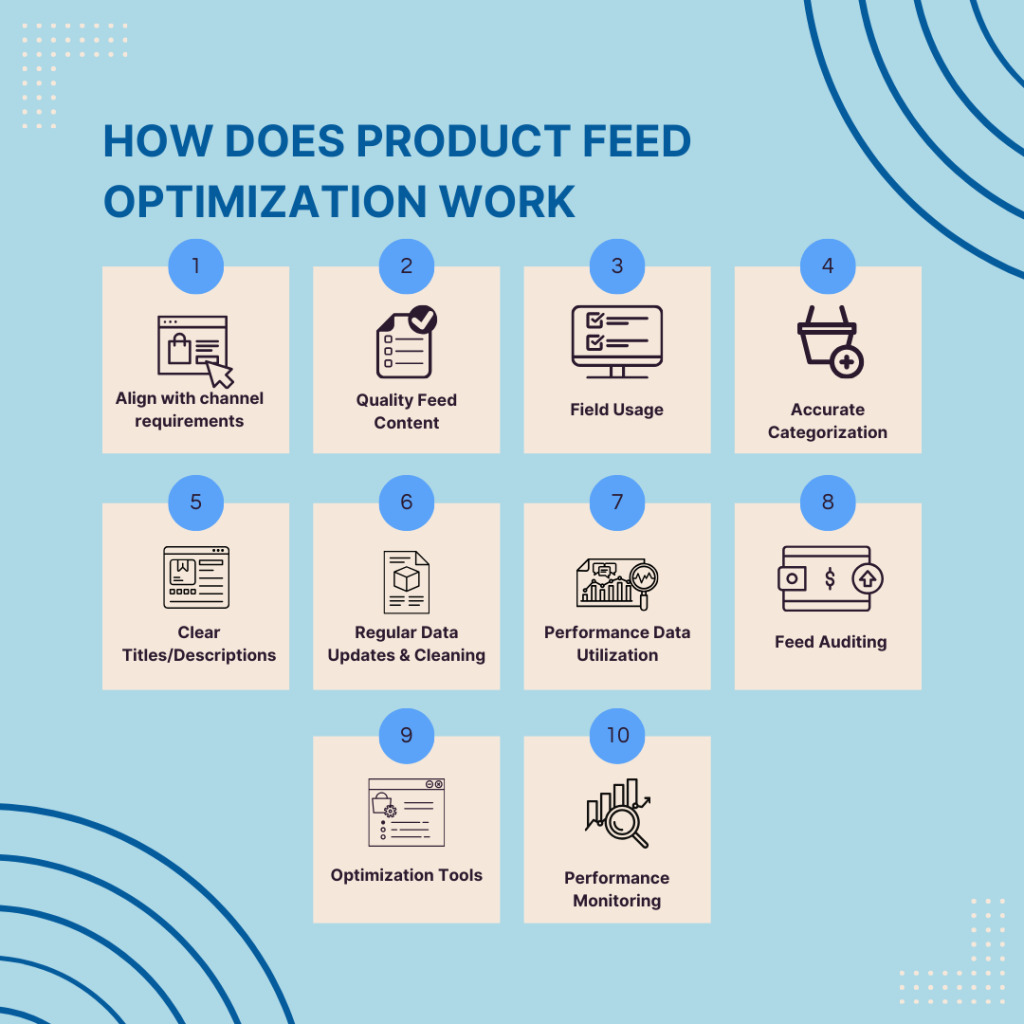
Step 2: Optimize Your Product Feed First
Your product feed directly impacts Shopping Ads and Performance Max performance.
Many advertisers focus on ads while ignoring the feed that powers them.
Essential Product Feed Elements
Product Titles
Include:
- Brand name
- Product type
- Primary keyword
- Key attributes
Example:
Instead of:
"Running Shoes"
Use:
"Nike Men's Air Zoom Pegasus Running Shoes Size 10"
Product Descriptions
Focus on:
- Features
- Benefits
- Search keywords
- Purchase intent phrases
Product Images
Use:
- High-quality images
- White backgrounds where appropriate
- Multiple product angles
Product Categories
Ensure accurate categorization inside Google Merchant Center.
Step 3: Use Performance Max Correctly
Performance Max has become one of the most powerful campaign types for eCommerce businesses.
However, many advertisers launch it with minimal optimization and expect immediate results.
Best Practices
Segment Products by Performance
Create separate asset groups for:
- Best sellers
- High-margin products
- New arrivals
- Seasonal products
Upload High-Quality Creative Assets
Include:
- Lifestyle images
- Product videos
- Promotional creatives
- Brand assets
Use Audience Signals
Provide signals such as:
- Previous purchasers
- Cart abandoners
- Customer lists
- Website visitors
Performance Max performs significantly better when supplied with quality audience data.
Learn more about audience segmentation in our guide on Google Ads Saas Growth Strategy.

Step 4: Scale Winning Products First
Not every product deserves additional budget.
Many stores make the mistake of scaling their entire catalog equally.
Instead, identify products that already demonstrate:
- Strong ROAS
- High conversion rates
- Healthy profit margins
- Consistent demand
Create Dedicated Campaigns
Separate:
- Hero products
- Seasonal products
- Clearance inventory
- Premium products
This allows budget allocation based on profitability rather than assumptions.
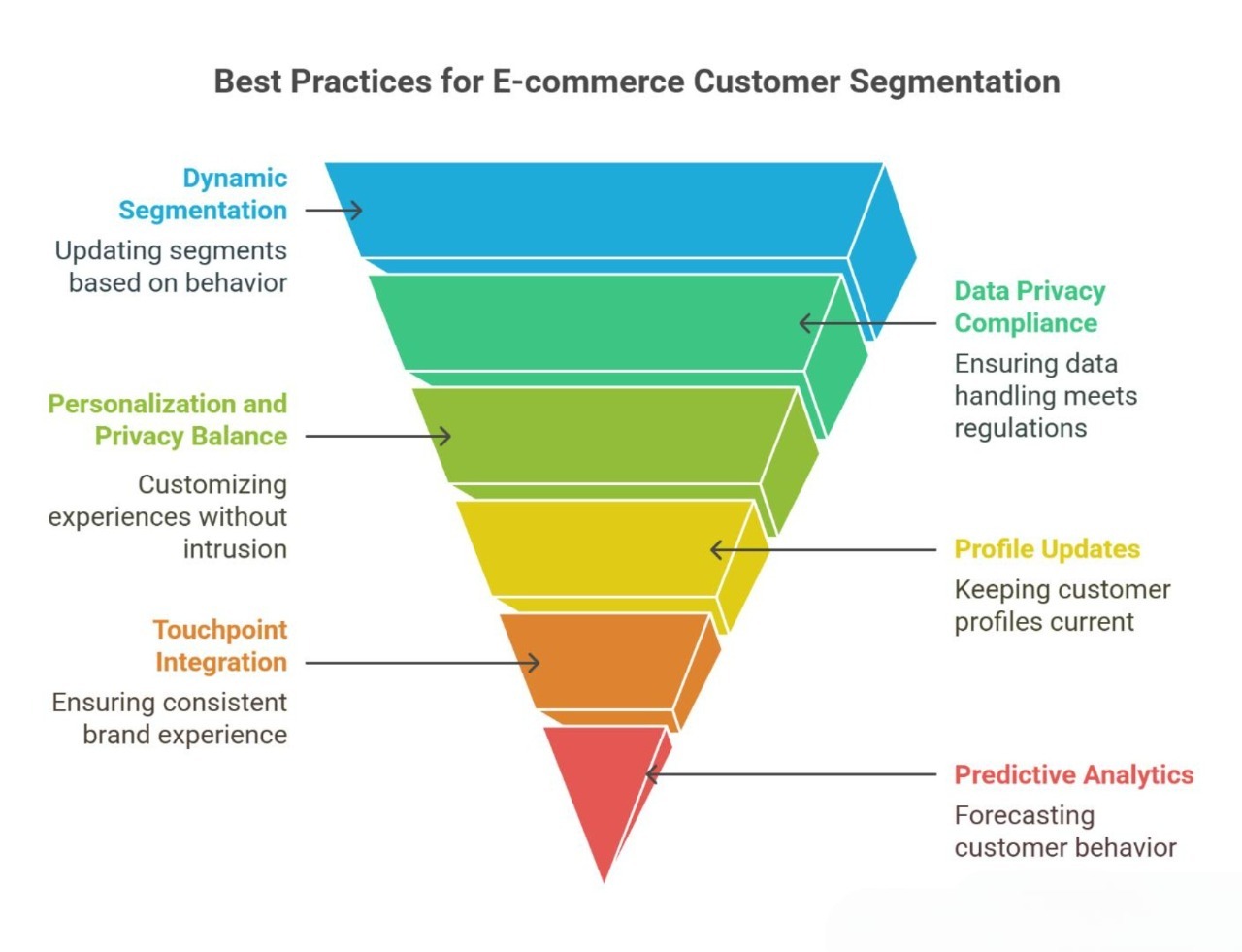
Step 5: Use Smart Audience Expansion
As campaigns mature, audience expansion becomes necessary.
However, expansion should be strategic.
High-Value Audiences
Focus on:
Customer Match Lists
Upload:
- Previous customers
- Repeat purchasers
- High-value buyers
Remarketing Audiences
Target users who:
- Viewed products
- Added items to cart
- Began checkout
- Engaged with videos
Similar Audiences and Signals
Google's AI can identify similar buyers when provided with quality conversion data.
Step 6: Improve Landing Page Conversion Rates
Scaling isn't only about traffic.
Increasing conversion rate often generates more revenue than increasing spend.
Optimize Product Pages
Focus on:
Product Images
Include:
- Zoom functionality
- Lifestyle photos
- Multiple angles
Product Descriptions
Answer:
- What it is
- Why it matters
- Why customers should trust you
Social Proof
Add:
- Reviews
- Testimonials
- User-generated content
- Trust badges
Checkout Experience
Reduce:
- Form fields
- Checkout friction
- Unnecessary steps
For more website optimization strategies, explore our Search Engine Optimization Services.
Step 7: Increase Budget Gradually
One of the biggest reasons campaigns collapse during scaling is aggressive budget increases.
Instead of doubling budgets overnight:
Recommended Scaling Approach
Increase budgets:
- 10% to 20% every few days
- Monitor ROAS
- Watch CPA trends
- Review impression share
This gives Google's algorithm time to adjust.
Step 8: Analyze Search Term Data
Even automated campaigns generate valuable insights.
Regularly review:
- Search terms
- Product performance
- Geographic performance
- Device performance
Add Negative Keywords
Exclude searches that indicate:
- Low purchase intent
- Irrelevant traffic
- Research-only queries
This improves overall campaign efficiency.
Step 9: Use Seasonal Scaling Strategies
eCommerce performance changes dramatically throughout the year.
Key periods include:
- Black Friday
- Cyber Monday
- Christmas
- Valentine's Day
- Back-to-School
- Diwali
- New Year sales
Prepare campaigns weeks before seasonal demand increases.
Seasonal Checklist
- Update creatives
- Refresh offers
- Increase inventory visibility
- Adjust bidding strategies
- Create dedicated landing pages
Step 10: Measure Profit, Not Just ROAS
ROAS alone can be misleading.
A campaign with a high ROAS may still be unprofitable if margins are low.
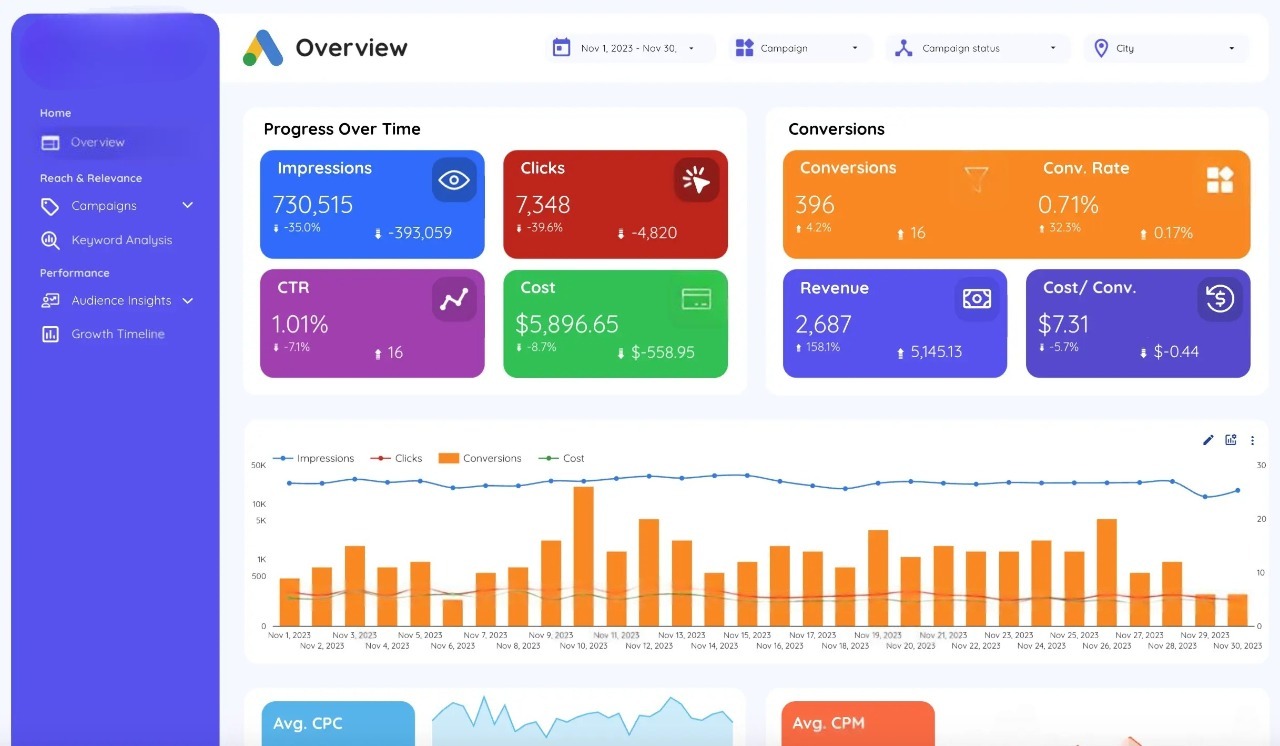
Track:
- Gross profit
- Contribution margin
- Customer acquisition cost
- Customer lifetime value
- Repeat purchase rate
The goal isn't simply more revenue.
The goal is sustainable profit growth.
Common eCommerce Google Ads Scaling Mistakes
Avoid these costly mistakes:
Increasing Budgets Too Quickly
Rapid changes often disrupt campaign learning.
Ignoring Product Feed Optimization
Your feed directly influences Shopping and Performance Max success.
Scaling Unprofitable Products
Focus on margin, not just revenue.
Poor Tracking Setup
Bad data creates bad optimization decisions.
Neglecting Landing Pages
Traffic cannot compensate for weak conversion rates.
Recommended Campaign Structure for Scaling
Campaign 1: Brand Search
Protect branded traffic.
Campaign 2: Shopping Campaign
Capture high-intent searches.
Campaign 3: Performance Max
Expand reach across Google's ecosystem.
Campaign 4: Remarketing
Recover lost conversions.
Campaign 5: Seasonal Promotions
Support short-term growth opportunities.
This structure provides both stability and scalability.
Final Thoughts
Google Ads remains one of the most effective channels for eCommerce growth, but scaling successfully requires more than increasing budgets.
The brands that scale profitably focus on:
- Accurate tracking
- Feed optimization
- Audience quality
- Conversion rate improvements
- Smart budget allocation
- Profitability metrics
By combining these strategies, businesses can grow revenue while maintaining healthy margins and long-term sustainability.
If you're looking to accelerate eCommerce growth, explore our Google Ads Management Services, learn more about our approach on the Scale With Clicks Home Page, or browse additional insights in our Digital Marketing Blog.
The right scaling strategy doesn't just generate more sales—it creates predictable and profitable growth.
Frequently Asked Questions (FAQs)
How much should I spend on Google Ads for an eCommerce store?
The ideal budget depends on your product margins, average order value, and business goals. Most growing eCommerce brands should allocate enough budget to generate at least 30-50 conversions per month for Google's algorithms to optimize effectively. Instead of focusing solely on budget size, focus on achieving a profitable ROAS and customer acquisition cost.
Are Google Shopping Ads better than Search Ads for eCommerce?
Google Shopping Ads are often more effective for eCommerce because they display product images, pricing, reviews, and other details directly in search results. However, combining Shopping Ads, Search Ads, and Performance Max campaigns usually delivers the best results by covering multiple stages of the buying journey.
What is a good ROAS for eCommerce Google Ads?
A good ROAS varies by industry and profit margins. Many eCommerce businesses aim for a ROAS between 3x and 6x. However, profitability should always be the primary metric. A lower ROAS with higher profit margins can sometimes outperform a higher ROAS campaign with low-margin products.
How long does it take for Google Ads to work for an online store?
Most eCommerce campaigns begin generating data within a few days, but meaningful optimization usually takes between 2-6 weeks. Google's machine learning requires sufficient conversion data before performance stabilizes and scaling opportunities become clear.
Should I use Performance Max for eCommerce?
Yes. Performance Max has become one of the most effective campaign types for eCommerce businesses because it allows advertisers to reach customers across Search, Shopping, Display, YouTube, Discover, and Gmail. When combined with accurate tracking and a well-optimized product feed, it can significantly improve campaign performance.
How do I reduce my Google Ads cost for eCommerce?
You can reduce costs by improving product feeds, adding negative keywords, optimizing landing pages, improving Quality Scores, refining audience targeting, and focusing more budget on high-converting products. Better conversion rates often lower overall acquisition costs.
Why is my eCommerce ROAS dropping when I increase budgets?
ROAS often drops when budgets are increased too aggressively. Google's algorithm needs time to adapt to higher spending levels. Increasing budgets gradually, usually by 10-20% every few days, helps maintain campaign stability while scaling.
What is the difference between Google Shopping Ads and Performance Max?
Google Shopping Ads primarily focus on product listings within Google Search and Shopping results. Performance Max expands reach across Google's entire ecosystem, including YouTube, Display, Gmail, Discover, and Search. Many successful eCommerce brands use both campaign types together.
What metrics should I track besides ROAS?
While ROAS is important, you should also monitor:
- Customer Acquisition Cost (CAC)
- Conversion Rate
- Average Order Value (AOV)
- Customer Lifetime Value (CLV)
- Gross Profit
- Contribution Margin
- Repeat Purchase Rate
These metrics provide a clearer picture of long-term profitability.
Can small eCommerce stores compete with large brands using Google Ads?
Yes. Smaller stores can compete effectively by focusing on niche products, long-tail keywords, audience targeting, strong product feeds, and superior customer experiences. Large budgets help, but relevance and optimization often matter more than sheer spending power.