Tracking
How to Track Leads and Sales on Your Website

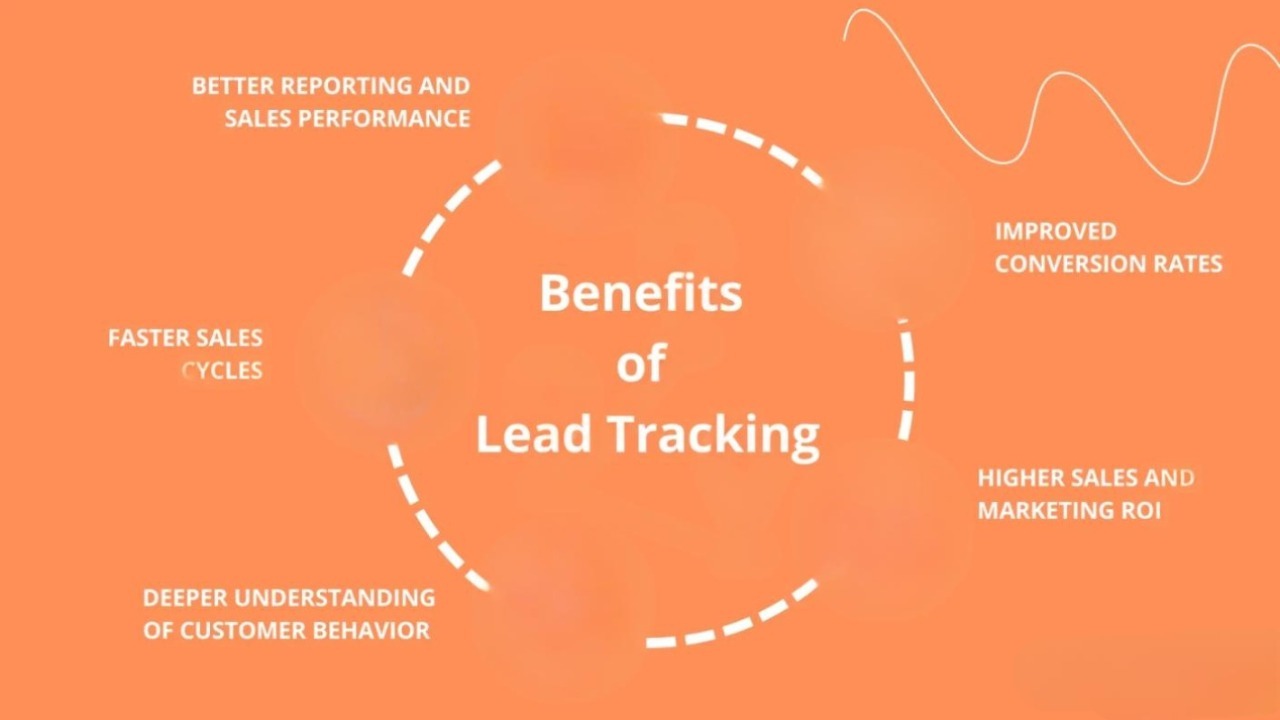
Category: Tracking
How to Track Leads and Sales on Your Website
If you are spending money on SEO, Google Ads, Meta Ads, or social media marketing but still don’t know where your leads and sales are coming from, you are not alone.
One of the biggest problems businesses face is not traffic — it’s the lack of proper tracking.
Without accurate website tracking, you cannot answer important questions like:
- Which marketing channel generates the highest-quality leads?
- Which campaign brings actual sales?
- Which landing page converts best?
- Where are users dropping off?
- What is your real cost per acquisition?
Tracking leads and sales properly helps businesses make smarter marketing decisions, reduce wasted ad spend, and scale profitable campaigns faster.
In this guide, you’ll learn exactly how to track leads and sales on your website using tools like Google Analytics 4, Google Tag Manager, Meta Pixel, CRM integrations, call tracking, and conversion tracking setups.
You’ll also learn common tracking mistakes businesses make and how to fix them.
Why Website Tracking Matters
Most businesses only look at website traffic numbers.
But traffic alone does not generate revenue.
What actually matters is:
- Leads generated
- Qualified enquiries
- Phone calls
- Purchases
- Form submissions
- Demo bookings
- Revenue generated per channel
For example:
If your SEO campaign brings 10,000 visitors but only 5 leads, while Google Ads brings 500 visitors and 30 sales, the ad campaign is performing better.
This is why businesses investing in Performance Marketing Services need proper conversion tracking from day one.
Without tracking, scaling becomes guesswork.
What Should You Track on a Website?
Before setting up tools, you need to define what counts as a conversion for your business.
Common website conversions include:
Lead Tracking
- Contact form submissions
- Demo bookings
- Consultation requests
- WhatsApp clicks
- Phone calls
- Newsletter signups
Sales Tracking
- Product purchases
- Subscription purchases
- Checkout completions
- Add-to-cart actions
- Payment confirmations
Engagement Tracking
- Scroll depth
- Button clicks
- Video views
- Time on page
- File downloads
Businesses focusing on SEO Services often use engagement metrics to measure content quality and user behavior.
Essential Tools for Tracking Leads and Sales
Here are the most important tools you need for accurate website tracking.
1. Google Analytics 4 (GA4)
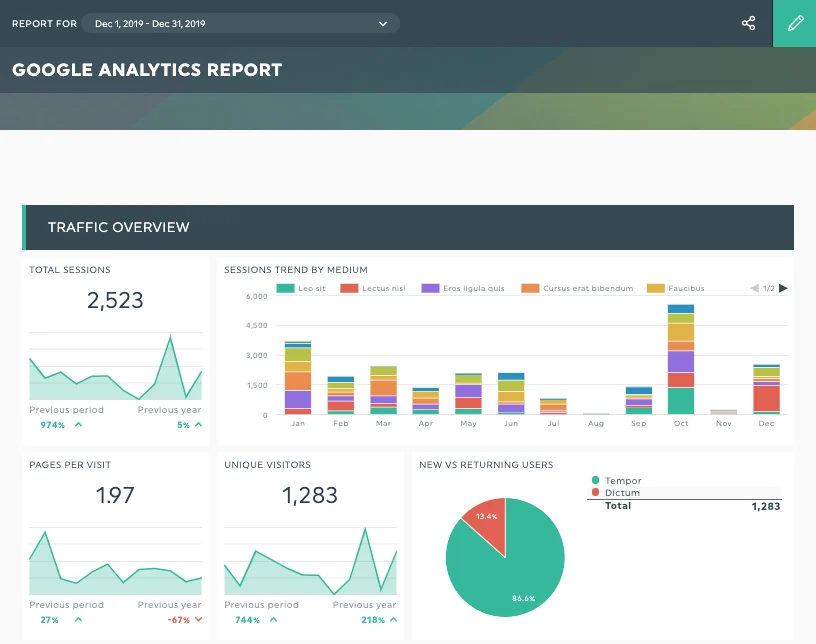
Google Analytics 4 is the foundation of website tracking.
It helps you understand:
- Traffic sources
- User behavior
- Conversion paths
- Device performance
- Landing page performance
- Revenue attribution
With GA4, you can see:
- Which campaign generated a lead
- Which keyword drove a sale
- Which page converts best
- How users navigate your website
Important GA4 Events to Track
You should configure:
- form_submit
- purchase
- begin_checkout
- generate_lead
- phone_click
- whatsapp_click
- button_click
If you are running paid campaigns, proper GA4 tracking is critical for improving campaign ROI and optimizing ad performance.
You can also explore our guide on Google Ads Conversion Optimization.
2. Google Tag Manager (GTM)
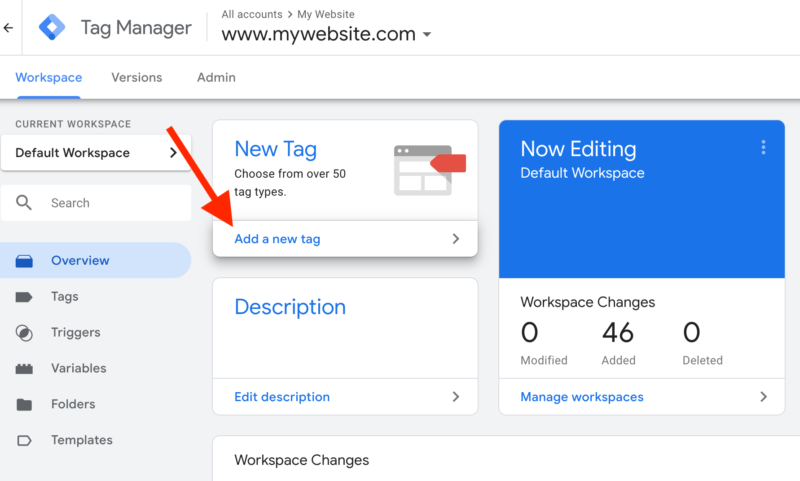
Google Tag Manager allows you to manage tracking codes without editing your website code repeatedly.
Instead of manually adding scripts everywhere, GTM helps centralize tracking.
With GTM, you can track:
- Form submissions
- Button clicks
- Scroll depth
- Outbound clicks
- Phone calls
- Purchases
- Video interactions
This makes implementation faster and more scalable.
For businesses actively investing in marketing campaigns, GTM becomes essential.
3. Meta Pixel
If you run Facebook or Instagram ads, Meta Pixel tracking is mandatory.
Meta Pixel helps track:
- Leads
- Purchases
- Add-to-cart actions
- Checkout initiations
- Landing page visits
Without proper Meta tracking, ad optimization becomes inaccurate.
This affects:
- Retargeting
- Lookalike audiences
- Campaign optimization
- Cost per conversion
Businesses running Social Media Marketing Services should always configure Meta Pixel properly.
4. CRM Integration
Tracking leads is only half the process.
You also need to know:
- Which leads converted into customers
- Revenue generated from each lead source
- Sales pipeline status
- Lead quality
This is where CRM integration becomes important.
Popular CRM tools include:
- HubSpot
- Zoho CRM
- Salesforce
- Pipedrive
A CRM helps connect marketing data with actual sales data.
For example:
You may discover:
- SEO generates more qualified leads
- Google Ads generates faster conversions
- Meta Ads generate lower-quality enquiries
This insight helps improve marketing strategy.
5. Call Tracking Software
Many businesses receive leads through phone calls.
But without call tracking, these leads are invisible in analytics.
Call tracking tools help attribute calls to:
- Google Ads
- Organic search
- Social media
- Landing pages
- Specific campaigns
This is especially important for:
- Local businesses
- Service-based companies
- Real estate businesses
- Healthcare clinics
- Agencies
Call tracking improves attribution accuracy significantly.
How to Track Website Form Submissions
Forms are one of the most common lead-generation methods.
To track forms properly:
Step 1: Set Up GTM Trigger
Create a form submission trigger inside Google Tag Manager.
Step 2: Send Event to GA4
Push a custom event like:
- generate_lead
- form_submit
Step 3: Mark Event as Conversion
Inside GA4, mark the event as a conversion.
Step 4: Test the Tracking
Use:
- GTM Preview Mode
- GA4 Realtime Reports
- Google Tag Assistant
Always test tracking before running campaigns.
How to Track Phone Calls
Phone call tracking can be configured in two ways.
Click-to-Call Tracking
Tracks users clicking on phone numbers on mobile devices.
Useful for:
- Mobile landing pages
- Service businesses
- Local SEO campaigns
Dynamic Call Tracking
Uses dynamic numbers to identify the traffic source.
This provides better attribution accuracy.
Businesses investing in Local SEO Services often rely heavily on call tracking.
How to Track Ecommerce Sales
Ecommerce tracking is more advanced.
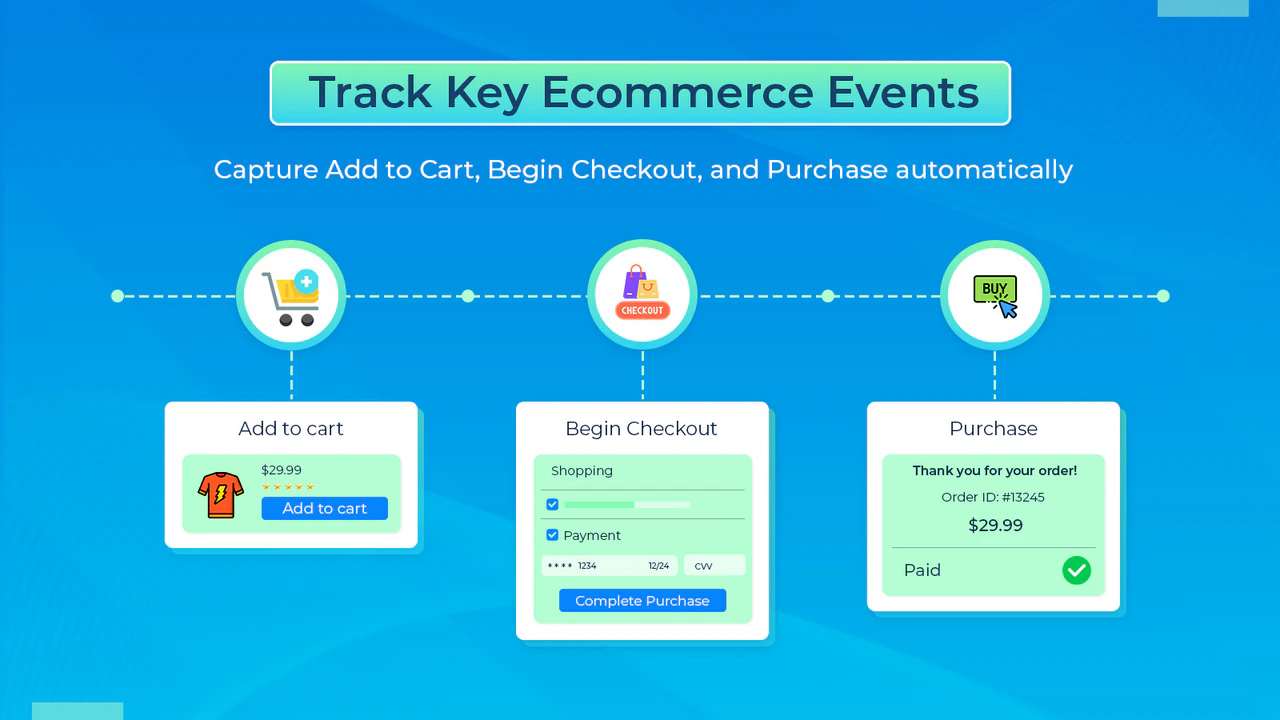
You should track:
- Product views
- Add-to-cart events
- Checkout starts
- Purchases
- Revenue
- Refunds
GA4 Ecommerce Tracking helps identify:
- Best-selling products
- High-converting traffic sources
- Cart abandonment issues
- Funnel drop-offs
Common Tracking Mistakes Businesses Make
Many websites have broken or incomplete tracking setups.
Here are the most common mistakes.
1. Not Tracking Conversions Properly
Many businesses only track page views.
But page views don’t measure business growth.
Always track meaningful conversions.
2. Duplicate Tracking
Duplicate events create inaccurate data.
For example:
A single lead submission gets counted twice.
This inflates performance reports.
3. No UTM Parameters
UTM parameters help identify traffic sources accurately.
Without them, attribution becomes messy.
Always use UTM tagging for:
- Email campaigns
- Paid ads
- Social campaigns
- Influencer marketing
4. Ignoring Mobile Tracking
Mobile traffic usually dominates most websites.
If mobile tracking breaks, you lose valuable data.
Always test tracking on mobile devices.
5. No CRM Integration
Many businesses stop tracking after form submissions.
But actual revenue tracking requires CRM integration.
This is essential for measuring real ROI.
How Tracking Improves Marketing ROI
Proper tracking helps improve:
- Ad targeting
- Conversion rates
- Landing pages
- Lead quality
- Customer acquisition cost
- Revenue attribution
For example:
If one campaign generates cheaper but low-quality leads, while another produces fewer but higher-paying customers, proper tracking helps identify the better investment.
This is why data-driven businesses grow faster.
You can also read our guide on How to Set up Conversion Tracking in Google Ads.
Best Practices for Accurate Website Tracking
Here are some proven best practices.
Use Server-Side Tracking
Server-side tracking improves:
- Data accuracy
- Privacy compliance
- Tracking reliability
Especially after browser privacy updates.
Regularly Audit Tracking
Tracking setups often break after:
- Website redesigns
- Plugin updates
- Theme changes
- Form modifications
Conduct regular tracking audits.
Track Micro-Conversions
Not every visitor converts immediately.
Track smaller engagement signals like:
- Scroll depth
- Video views
- CTA clicks
- Resource downloads
These help identify user intent.
Use Heatmaps and Session Recordings
Tools like Hotjar or Microsoft Clarity help visualize user behavior.
They show:
- Click patterns
- User frustration points
- Funnel drop-offs
- Navigation behavior
This helps improve UX and conversions.
Final Thoughts
Tracking leads and sales on your website is no longer optional.
Without proper tracking:
- Marketing budgets get wasted
- Campaign optimization becomes difficult
- Revenue attribution becomes unclear
- Scaling becomes risky
Whether you are running SEO campaigns, Google Ads, social media ads, or email marketing, accurate conversion tracking helps you make smarter decisions.
Businesses that invest in proper analytics setups consistently outperform competitors who rely on assumptions instead of data.
If you want better ROI from your marketing efforts, start with accurate tracking first.
You can also explore our homepage to learn more about our digital growth solutions at Scale With Clicks.
Frequently Asked Questions (FAQs)
What is lead tracking on a website?
Lead tracking is the process of monitoring user actions like form submissions, phone calls, demo bookings, or enquiries to identify where leads come from and how they interact with your website.
Which tool is best for tracking website conversions?
Google Analytics 4 combined with Google Tag Manager is one of the best setups for tracking website conversions accurately.
Why is conversion tracking important?
Conversion tracking helps businesses measure campaign performance, optimize marketing spend, improve ROI, and understand which channels generate actual sales or leads.
Can I track phone calls from my website?
Yes, phone calls can be tracked using click-to-call tracking or dynamic call tracking software.
What is the difference between GA4 and Google Tag Manager?
GA4 is used for analytics and reporting, while Google Tag Manager helps deploy and manage tracking codes without directly editing website code.
How often should website tracking be audited?
Website tracking should ideally be audited every month or after major website updates to ensure data accuracy.
Can tracking improve Google Ads performance?
Yes, accurate conversion tracking helps Google Ads optimize campaigns better, resulting in improved lead quality and lower acquisition costs.
Is CRM integration necessary for lead tracking?
CRM integration is highly recommended because it connects marketing data with actual sales and revenue, helping businesses measure true ROI.