SEO
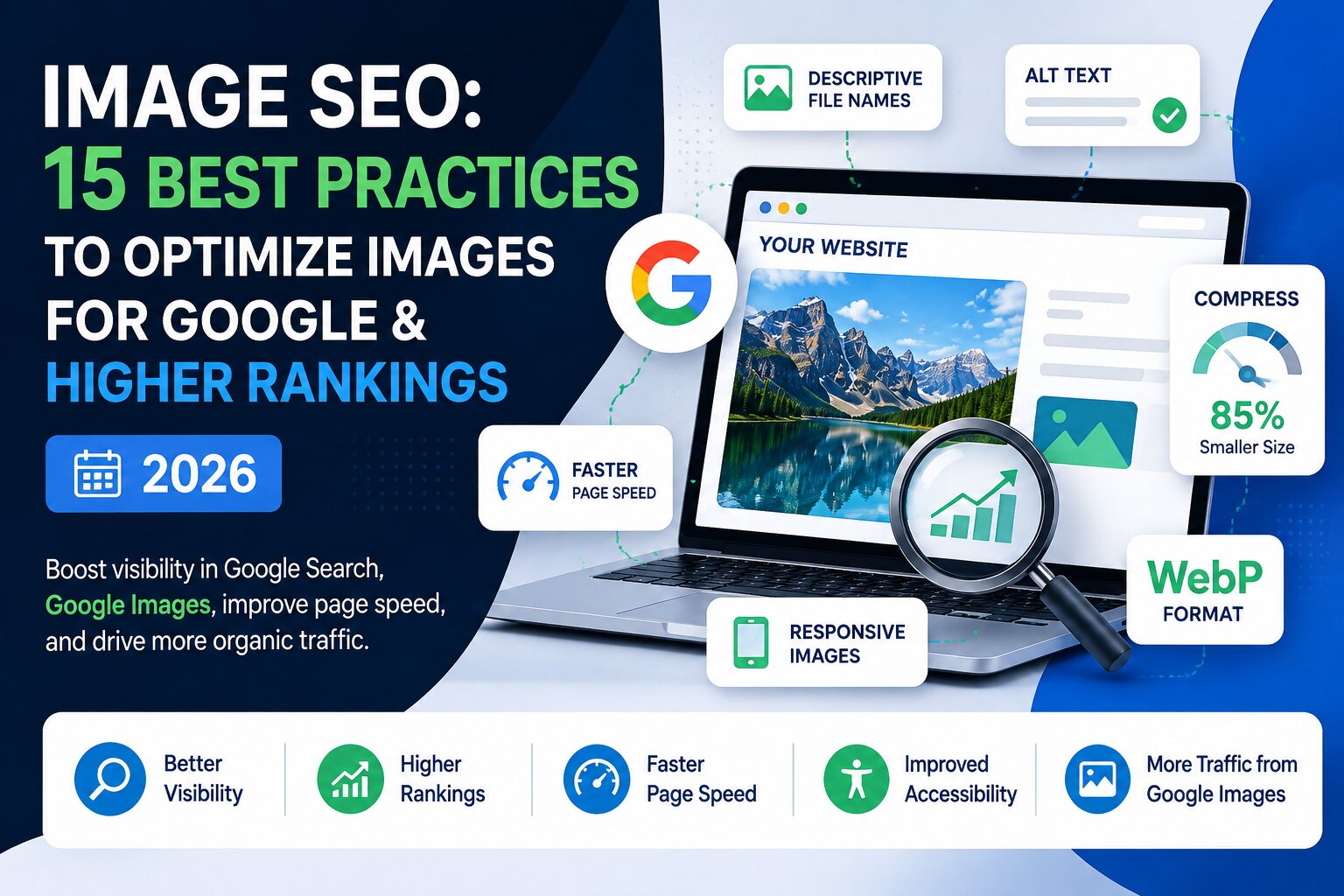
Image SEO - 15 Best Practices to Rank Higher on Google (2026)

Category: SEO
Images are no longer just visual elements added to make a website look better.
A well-optimized image can improve user experience, support accessibility, make pages load faster, help Google understand your content, and create additional opportunities to appear in Google Images and other search features.
On the other hand, poorly optimized images can slow down your website, increase page weight, hurt Core Web Vitals, and make it harder for search engines to understand what your page is about.
This is where image SEO becomes important.
Image SEO is the process of optimizing website images so that search engines can discover, understand, index, and potentially display them in relevant search results while keeping the user experience fast and accessible.
Google recommends using descriptive filenames, useful alt text, relevant surrounding content, responsive images, supported image formats, and appropriate image optimization techniques.
In this guide, you'll learn 15 image SEO best practices for 2026 that you can apply to blog posts, service pages, product pages, landing pages, and other website content.
What Is Image SEO?
Image SEO is the practice of optimizing images for search engines and users.
It includes several areas:

- Image file names
- Alt text
- Image compression
- Image dimensions
- File formats
- Responsive images
- Page speed
- Image sitemaps
- Captions
- Surrounding content
- Structured data
- Accessibility
- Image URLs
- Lazy loading
- Mobile optimization
Google uses information from the image itself, the page containing the image, filenames, alt text, captions, and other signals to understand images.
The goal isn't to add keywords to every image.
The goal is to make every image useful, relevant, accessible, technically efficient, and easy for search engines to understand.
Why Is Image SEO Important in 2026?
Images can influence SEO in several ways.
First, optimized images can help Google better understand the subject of a page.
Second, properly compressed images can reduce page size and improve loading performance.
Third, descriptive alt text improves accessibility for people using screen readers.
And finally, properly optimized images can create opportunities to receive traffic from Google Images and other visual search experiences.
Google specifically recommends optimizing both the image and the page where that image appears.
For businesses investing in SEO, image optimization should therefore be treated as part of the overall on-page SEO strategy, rather than something that is done only after publishing an article.
15 Image SEO Best Practices for Higher Rankings
1. Use Descriptive Image File Names
One of the easiest image SEO improvements is also one of the most commonly ignored.

Instead of uploading an image named:
IMG_4587.jpg
use a descriptive filename such as:
image-seo-best-practices-google-2026.jpg
A descriptive filename gives Google additional context about the image.
Google recommends using short, descriptive filenames instead of generic names such as image1.jpg or IMG00023.JPG.
Good example
google-image-seo-best-practices.jpg
Poor example
DSC4587-final-new.jpg
Keep filenames:
- Descriptive
- Short
- Relevant
- Easy to understand
- Written using words separated by hyphens
Don't turn the filename into a list of keywords.
2. Write Useful Alt Text
Alt text is one of the most important elements of image SEO.
It describes the image for users who cannot see it and helps search engines understand what the image represents.
For example:
<img src="image-seo-best-practices.jpg" alt="Image SEO best practices for optimizing website images">
Avoid writing alt text like:
alt="SEO image SEO Google image SEO best practices SEO optimization"
That's keyword stuffing and creates a poor user experience.
Instead, describe what is actually visible in the image.
For example:
Good:
SEO specialist analyzing website image optimization in Google Search Console
Poor:
SEO SEO SEO image optimization Google ranking image SEO
Google specifically recommends useful, information-rich alt text and warns against keyword stuffing.
3. Choose the Right Image Format
The image format you choose affects both quality and file size.
Common formats include:
- JPEG
- PNG
- WebP
- AVIF
- SVG
Google supports several image formats including JPEG, PNG, WebP, SVG, AVIF, GIF, and BMP.
For most modern websites:
WebP and AVIF can be excellent choices for photographs and graphics where browser support and implementation are appropriate.
Use SVG where it makes sense for logos, icons, and vector graphics.
Don't automatically convert every image to the same format. Choose the format based on the image type and required quality.
4. Compress Images Before Uploading
Large images are one of the easiest ways to make a website slower.
For example, uploading a 5 MB photograph when a visually identical 250 KB version would work is unnecessary.
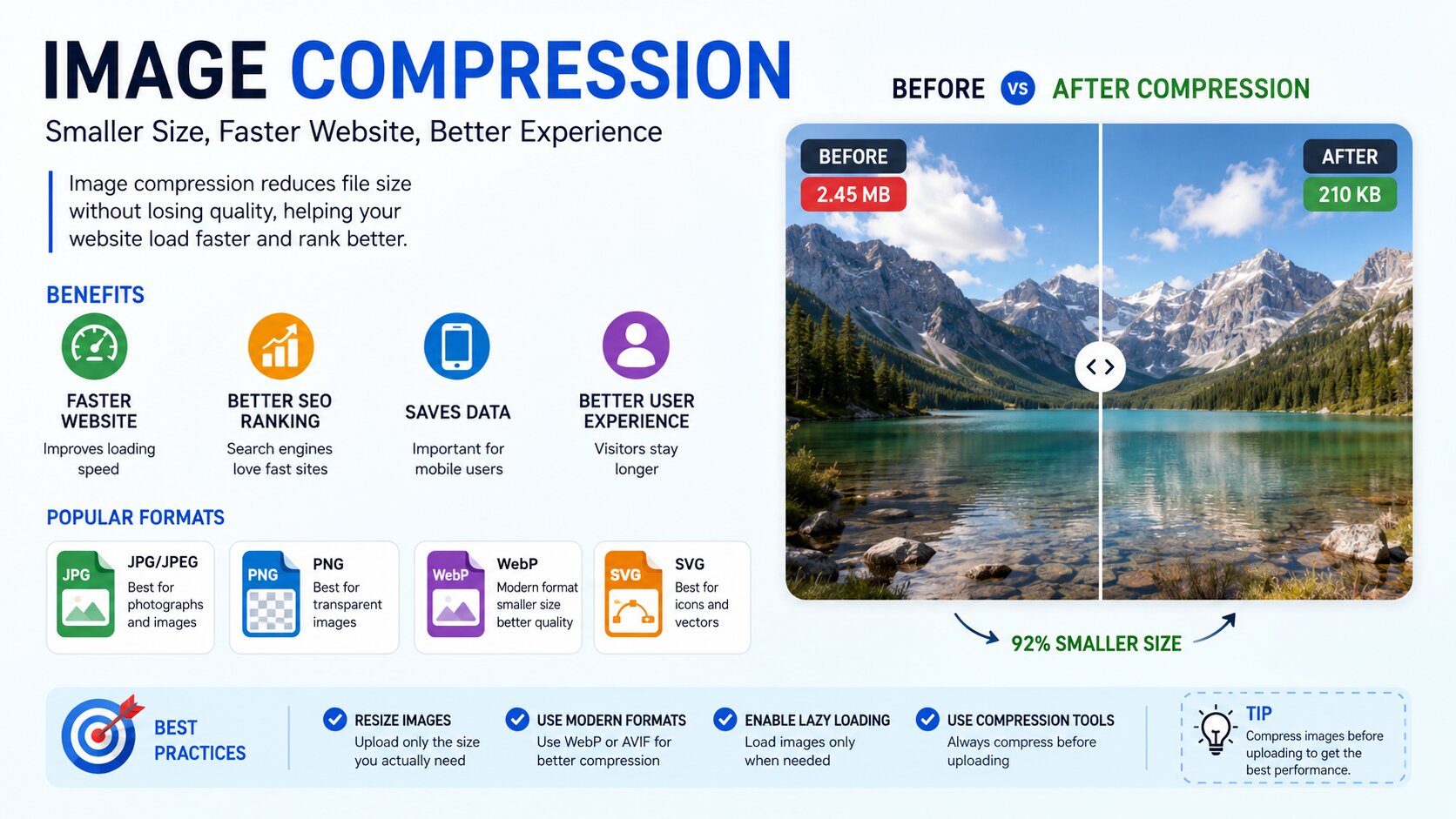
Image compression reduces file size while attempting to preserve acceptable visual quality.
Before uploading an image, consider:
- Compressing the file
- Removing unnecessary metadata
- Choosing an appropriate format
- Reducing excessive dimensions
- Checking the final visual quality
Google notes that images can be one of the largest contributors to page size, making image optimization important for page performance.
If your website is slow, image optimization should be one of the first areas you investigate.
5. Resize Images to the Actual Display Size
Don't upload a 4000 × 3000 pixel image when your website displays it at 800 × 600 pixels.
Although modern websites can use responsive image techniques, unnecessarily large source files can still increase download size.
Before uploading an image, determine:
- Where it will be displayed
- Maximum display width
- Required resolution
- Mobile requirements
For example, if your blog content area is 850 pixels wide, there may be little reason to upload a massive 5000-pixel-wide image unless there is a specific reason.
6. Use Responsive Images
People access websites using:
- Smartphones
- Tablets
- Laptops
- Desktop computers
- High-resolution displays

The same image doesn't necessarily need to be delivered at the same size to every device.
Responsive image techniques such as srcset, sizes, and the <picture> element allow browsers to select a more appropriate image resource.
Google recommends responsive image implementation and advises keeping a fallback src when using responsive techniques.
For example:
<img
  src="image-seo-800.jpg"
  srcset="
    image-seo-400.jpg 400w,
    image-seo-800.jpg 800w,
    image-seo-1200.jpg 1200w
  "
  sizes="(max-width: 768px) 100vw, 800px"
  alt="Image SEO best practices for Google"
>
This can help deliver a more appropriate resource depending on the user's screen.
7. Place Images Near Relevant Content
An image shouldn't be randomly inserted into a page simply because you need another visual.
The surrounding content helps search engines understand the context of an image.
For example, if you're writing about Google Ads conversion tracking, an image showing a conversion tracking dashboard should appear near the relevant explanation.
Similarly, an image about image optimization should appear near the section discussing image SEO.
Google recommends placing images near relevant text and on pages that are relevant to the image subject.
This is particularly useful for blog content.
8. Add Captions When They Improve Understanding
Captions aren't required for every image.
However, they can be useful when an image needs additional explanation.
For example:
Figure 1: Image compression can significantly reduce the file size of large website images.
Captions can help visitors understand charts, screenshots, diagrams, case studies, and other informative visuals.
Don't add captions just for SEO.
Use them when they genuinely improve the page.
9. Optimize the Image URL
Your image URL should also be clean and understandable.
Instead of:
/uploads/2026/08/458728-image-final-v3.jpg
a cleaner structure might be:
/images/image-seo-best-practices.jpg
You don't need to create complicated image URLs.
The priority should be consistency, organization, and clarity.
Also avoid constantly changing image URLs after publication unless necessary.
Google recommends consistently referencing an image with the same URL when it is used across multiple pages.
10. Don't Use CSS Background Images for Important SEO Images
If an image is important to the content, use a standard HTML <img> element whenever possible.
For example:
<img src="google-image-seo.jpg" alt="Google image SEO optimization">
instead of relying entirely on:
background-image: url("google-image-seo.jpg");
Google states that it can find images in standard HTML image elements, but it does not index CSS images.
Background images are perfectly appropriate for decorative design elements.
However, important content images should generally be implemented as actual image elements.
11. Implement Lazy Loading Carefully
Lazy loading can help prevent off-screen images from being downloaded immediately.
For example:
<img
  src="image-seo-guide.jpg"
  loading="lazy"
  alt="Image SEO guide"
>
This can be useful for images lower down on long pages.
However, don't blindly lazy-load every image.
Your primary or above-the-fold image may be important for the initial page experience and should be handled appropriately.
The goal is not simply "lazy load everything."
The goal is to load important content quickly and defer non-critical resources where appropriate.
12. Create an Image Sitemap When Appropriate
An image sitemap can help Google discover images that might otherwise be difficult to find.
This can be particularly useful for websites where images are loaded through JavaScript or exist in locations that aren't easily discovered through normal crawling.
Google supports image sitemap extensions and allows images hosted on a different domain, such as a CDN, provided the relevant domain requirements are met.
For a small website with easily discoverable images, an image sitemap may not always be necessary.
For larger websites, ecommerce websites, image-heavy websites, or sites using complex JavaScript implementations, it can be worth considering.
13. Make Images Accessible
Image SEO and accessibility go hand in hand.
Good image optimization isn't just about Google.
It's also about people.
Make sure important images have meaningful alternative text.
For decorative images, unnecessary alt text can create noise for screen reader users.
For example, a decorative divider doesn't need an elaborate description.
But an image explaining a marketing funnel should communicate the important information contained in that visual.
Think about the question:
"If the user couldn't see this image, what information would they need to know?"
That answer can help you write better alt text.
14. Use Structured Data and Relevant Image Metadata
Structured data can help Google understand the relationship between an image and the page it belongs to.
For example, a BlogPosting schema can include an image property.
Google also supports image metadata that can provide information such as creator, copyright, and licensing details.
For example:
{
  "@type": "BlogPosting",
  "headline": "Image SEO Best Practices",
  "image": "https://example.com/images/image-seo-best-practices.jpg"
}
For publishers, photographers, ecommerce businesses, and websites using original visual assets, maintaining appropriate copyright and licensing information can also be valuable.
Don't add structured data simply to manipulate rankings.
It should accurately represent the content on the page.
15. Optimize Images for Page Experience and Core Web Vitals
Image SEO isn't complete if your images are technically optimized for search but make your website slow.
Large images can affect page performance and contribute to a poor user experience.
Pay particular attention to:
- Image file size
- Image dimensions
- Responsive images
- Above-the-fold images
- Lazy loading
- Image delivery
- Browser caching
- CDN configuration
- Cumulative Layout Shift
Also make sure image dimensions are specified where appropriate so the browser can reserve space for the image before it loads.
This helps prevent content from suddenly moving when images appear.
Google recommends using modern image optimization and responsive techniques to maintain both image quality and fast page performance.
Image SEO Checklist for 2026
Before publishing a new page, use this quick checklist:

- Use a descriptive image filename
- Write useful alt text
- Avoid keyword stuffing
- Choose an appropriate image format
- Compress the image
- Resize excessive dimensions
- Use responsive images
- Place images near relevant content
- Add captions where useful
- Keep image URLs consistent
- Use HTML
<img>elements for important images - Implement lazy loading where appropriate
- Consider an image sitemap for larger sites
- Add relevant structured data
- Check image-related page performance
- Test mobile performance
- Check accessibility
Common Image SEO Mistakes to Avoid
Even after learning the best practices, websites often make a few recurring mistakes.
Using generic filenames
IMG1234.jpg doesn't provide much context.
Stuffing keywords into alt text
Alt text should describe the image rather than repeat keywords.
Uploading huge images
A beautiful image isn't useful if it makes the page painfully slow.
Using the wrong dimensions
Don't serve desktop-sized images unnecessarily to mobile visitors.
Ignoring mobile users
Always check how images behave on smaller screens.
Using images unrelated to the content
Relevance matters more than simply having lots of images.
Forgetting accessibility
Image SEO shouldn't come at the expense of users who rely on assistive technology.
Changing image URLs unnecessarily
Consistent image URLs make ongoing image management easier and can help Google reuse cached resources.
How Image SEO Fits Into Your Overall SEO Strategy
Image optimization shouldn't be treated as an isolated SEO task.
It works alongside:
- Technical SEO
- On-page SEO
- Content optimization
- Internal linking
- Page speed optimization
- Structured data
- Mobile optimization
- Conversion rate optimization
For example, optimizing the images on a blog post is useful, but the page should also have a strong title, useful content, clear headings, relevant internal links, good navigation, and a strong user experience.
If you're working on a broader SEO strategy, you can also explore our SEO Services for a more comprehensive approach to organic growth.
Likewise, if your website is being used to generate leads through paid advertising, image and page performance can affect the overall landing page experience. Our Google Ads Management Services focus on improving campaign performance while making sure traffic reaches relevant, conversion-focused pages.
For businesses running Meta advertising, our Meta Ads Management Services can also help connect advertising strategy with optimized landing-page experiences.
How to Optimize Existing Images on Your Website
You don't need to wait until publishing new content.
Start with your existing website.
Step 1: Find large images
Use tools such as PageSpeed Insights and website crawlers to identify pages containing oversized images.
Step 2: Review filenames
Look for files such as:
IMG_001.jpgphoto-final.pngbanner-new2.jpg
Replace them with descriptive names when practical.
Step 3: Audit alt text
Look for:
- Missing alt attributes
- Empty alt attributes where descriptions are needed
- Keyword-stuffed alt text
- Generic descriptions
Step 4: Compress important images
Prioritize pages receiving the most traffic.
Step 5: Check mobile performance
A page that loads quickly on a desktop connection may perform differently on mobile.
Step 6: Monitor Search Console
Look for changes in organic visibility, image search performance, indexing, and page experience after making meaningful improvements.
Final Thoughts
Image SEO is a small part of SEO that can have a surprisingly large impact on website performance and visibility.
The biggest mistake is treating images as an afterthought.
Every image you publish should have a purpose.
Use a descriptive filename. Write useful alt text. Compress the file. Serve an appropriate size. Use responsive images. Place the image next to relevant content. Keep the page fast and accessible.
Most importantly, don't optimize images purely for search engines.
Optimize them for people first, then make it easy for Google to understand them.
When image optimization becomes part of your regular publishing process, you can improve website usability, page performance, accessibility, and your chances of earning visibility through Google's visual search experiences.
If you're working on your overall SEO strategy, visit Scale With Clicks to explore performance marketing, SEO, conversion tracking, and digital advertising services.
For tracking and analytics, you can also read our guide on How to Set Up Conversion Tracking in Google Ads, which explains why accurate measurement is essential for understanding marketing performance.
And if you're working on website performance for paid campaigns, our article on 7 Costly Google Ads Mistakes That Are Wasting Your Budget covers several common landing-page and performance issues that can affect advertising results.
Frequently Asked Questions About Image SEO
1. What is image SEO?
Image SEO is the process of optimizing website images so search engines can discover and understand them while ensuring they remain fast, accessible, and useful for visitors.
2. Does image SEO help Google rankings?
Image SEO can help Google understand images and their surrounding content and can create opportunities for visibility in Google Images and other search features. It should be considered part of a broader SEO strategy rather than a standalone ranking tactic.
3. What is the best image format for SEO?
There isn't one format that is best for every image. WebP and AVIF can provide efficient compression for many use cases, while JPEG, PNG, SVG, and other supported formats remain appropriate in different situations.
4. Does alt text improve SEO?
Useful alt text helps Google understand an image and improves accessibility. However, alt text should describe the image naturally rather than being used as a place to insert excessive keywords.
5. Should image filenames contain keywords?
When relevant, use short and descriptive filenames that accurately describe the image. Avoid turning filenames into keyword lists.
6. Should every image have alt text?
Important content images should generally have meaningful alt text. Decorative images may use an empty alt attribute so screen readers can skip them.
7. Do large images hurt SEO?
Large image files can increase page weight and slow down loading, which can negatively affect user experience and page performance. Compressing and appropriately sizing images is therefore an important part of website optimization.
8. What is an image sitemap?
An image sitemap provides Google with additional information about images that may be difficult to discover through normal crawling. It can be particularly useful for larger or technically complex websites.
9. Can images appear in Google Images?
Yes. Google can index supported images and display them in Google Images and other search experiences when the relevant technical and content requirements are met.
10. How often should I optimize website images?
Image optimization should ideally happen whenever you publish new content. You should also periodically audit existing pages, particularly high-traffic pages and pages with poor performance.