SEO
Core Web Vitals - SEO Guide to Improve Google Rankings

Category: SEO
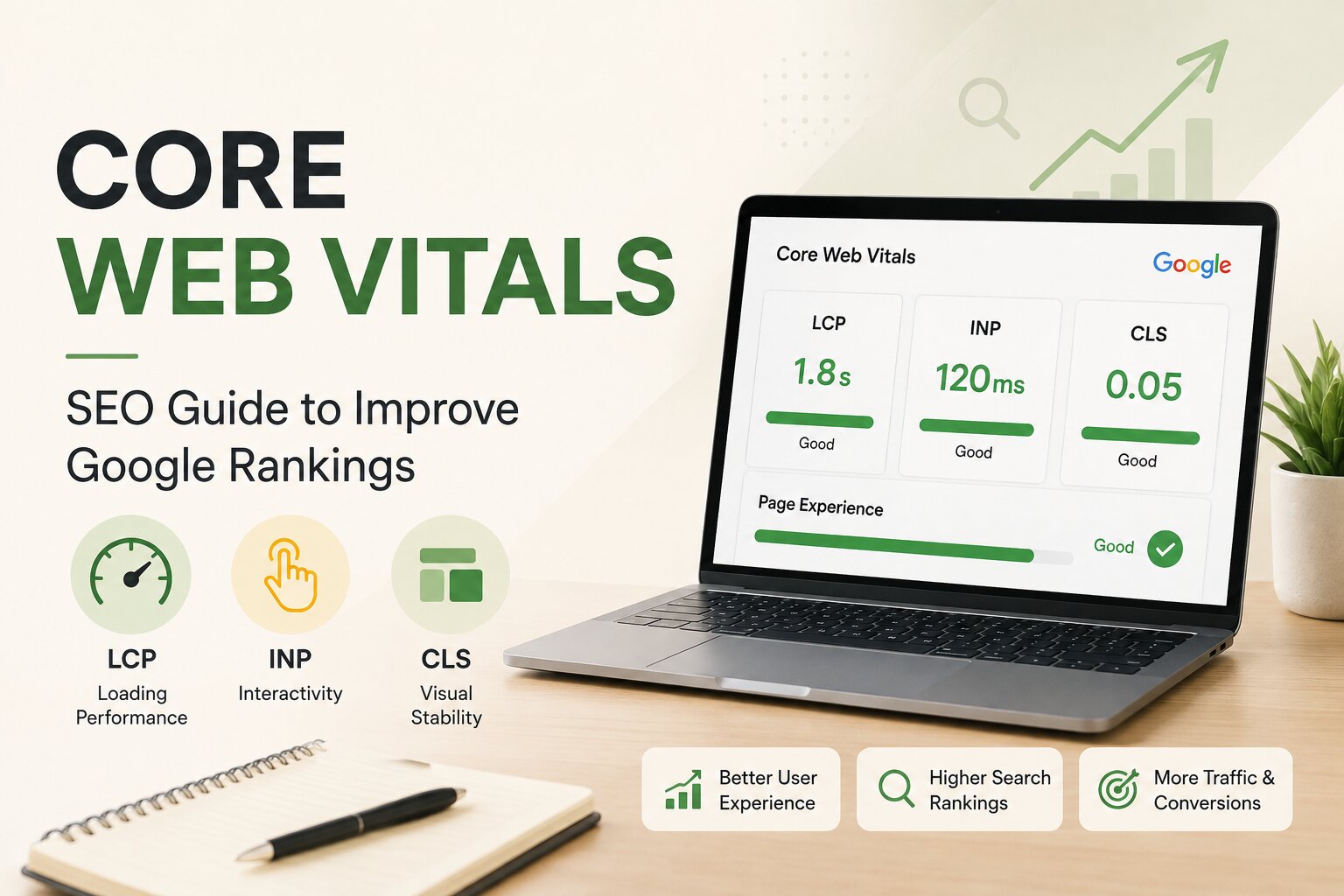
Core Web Vitals: SEO Guide to Improve Google Rankings
A website can have great content, strong backlinks, and well-optimized keywords and still struggle to perform if the actual website experience is poor.
Think about what happens when you click a Google result and the page takes several seconds to become usable. You may leave before reading the first paragraph. If a button suddenly moves while you are trying to click it, you may simply close the page and look elsewhere.
This is where Core Web Vitals become important.
Core Web Vitals are Google's user-focused metrics for measuring loading performance, responsiveness, and visual stability. The three current metrics are Largest Contentful Paint (LCP), Interaction to Next Paint (INP), and Cumulative Layout Shift (CLS). Google recommends achieving good scores for these metrics as part of providing a strong page experience. Google also explains that Core Web Vitals are used by its ranking systems, but good scores alone do not guarantee higher rankings.
If you're working on SEO, technical SEO, website performance, or conversion optimization, improving Core Web Vitals should be part of your overall strategy.
What Are Core Web Vitals?
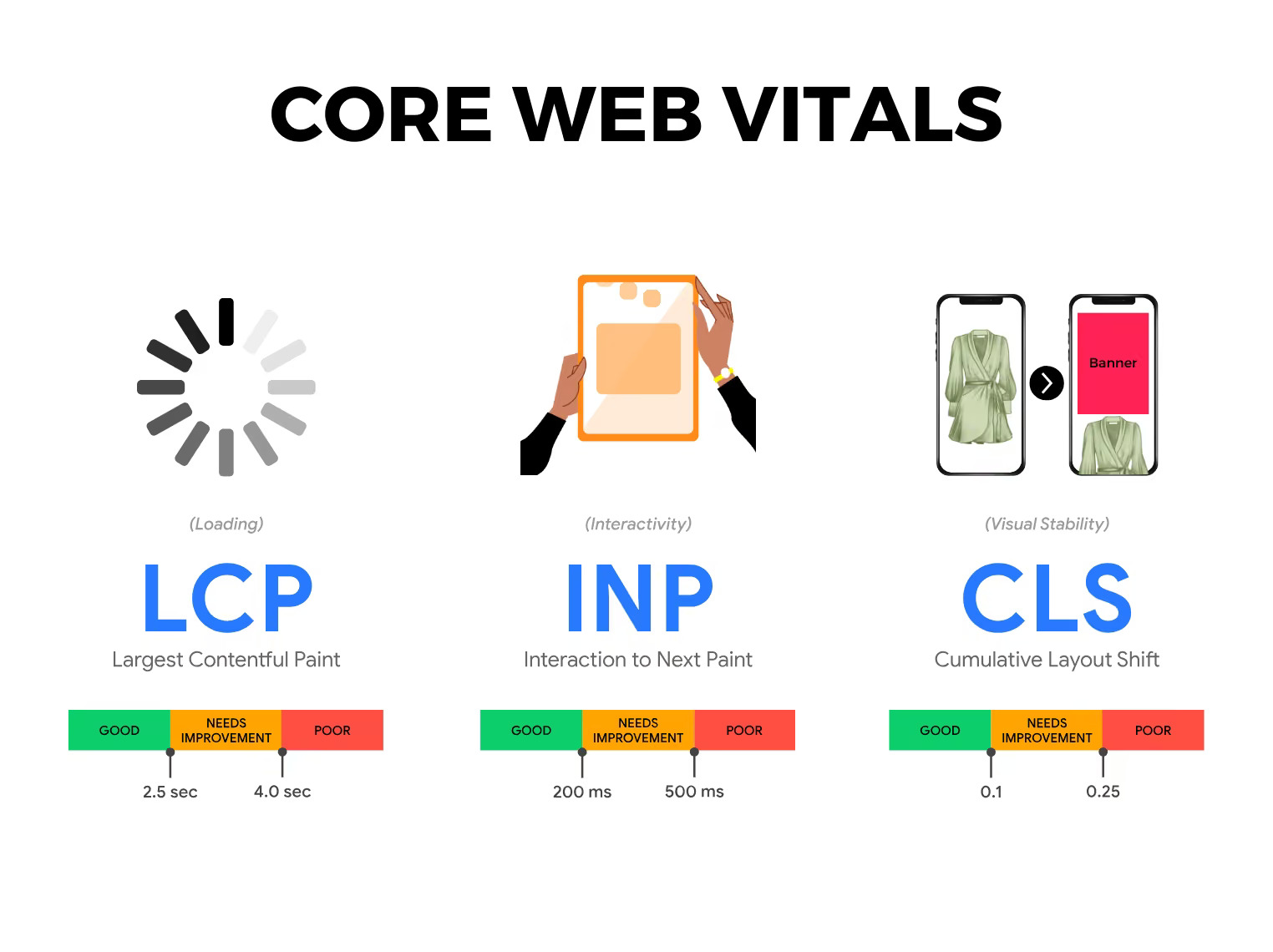
Core Web Vitals are a set of standardized metrics designed to measure important aspects of real-world user experience.
They focus on three areas:
- LCP: How quickly the main content becomes visible.
- INP: How quickly the page responds to user interactions.
- CLS: How stable the page remains while loading.
The recommended "good" thresholds are:
| Core Web Vital | What It Measures | Good Score |
|---|---|---|
| LCP | Loading performance | 2.5 seconds or less |
| INP | Responsiveness | 200 ms or less |
| CLS | Visual stability | 0.1 or less |
Google evaluates these metrics using real-world user data, and the recommended thresholds are assessed at the 75th percentile across mobile and desktop experiences.
This means you shouldn't optimize a page simply because it gets a perfect score in one test on your computer. Real users may have slower devices, weaker connections, or different browsing conditions.
Why Are Core Web Vitals Important for SEO?
One common misunderstanding is that improving Core Web Vitals automatically pushes a website to the top of Google.
That's not how it works.
Google's ranking systems consider many signals, and relevance and helpful content remain extremely important. Google itself says that achieving good Core Web Vitals does not guarantee top rankings. However, page experience can contribute to search success, particularly when several pages provide similarly relevant and useful information.
This makes Core Web Vitals important for SEO for several reasons.
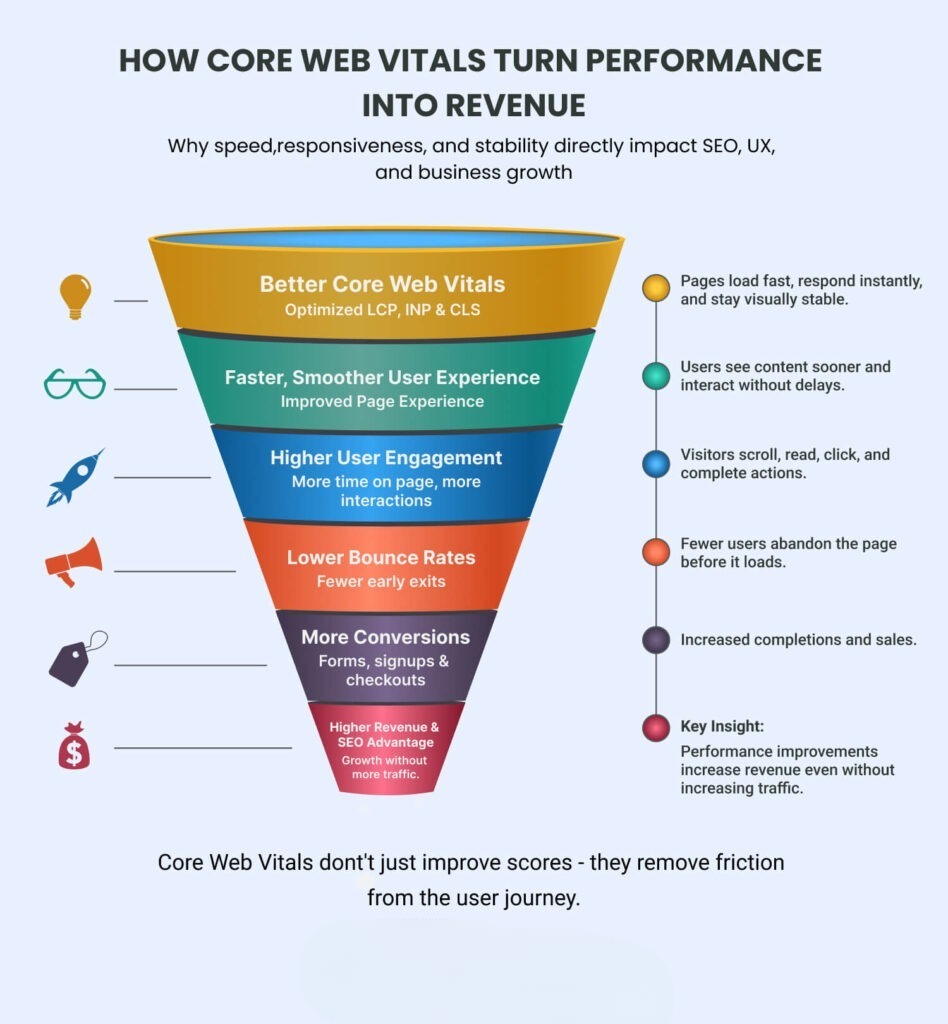
Better User Experience
A fast and responsive website is easier to use.
Visitors can access content faster, interact with forms, browse products, and complete actions without unnecessary delays.
Lower Friction
Slow loading pages create friction throughout the customer journey.
For example, a visitor might click your Google result, wait for the page to load, and leave before seeing your offer.
That means the problem isn't necessarily your keyword targeting. The problem may be the website experience.
Better Conversion Opportunities
Website performance also affects conversion optimization.
A fast landing page can make it easier for visitors to:
- Submit a lead form
- Call your business
- Purchase a product
- Book an appointment
- Request a quote
- Navigate between pages
This is particularly important for businesses investing in paid advertising. If you're running campaigns, your landing page experience can directly influence the value you get from your traffic.
You can also read our guide on What Is a Good Conversion Rate in Google Ads? to understand how landing page experience can affect conversion performance.
The Three Core Web Vitals Explained
1. Largest Contentful Paint (LCP)
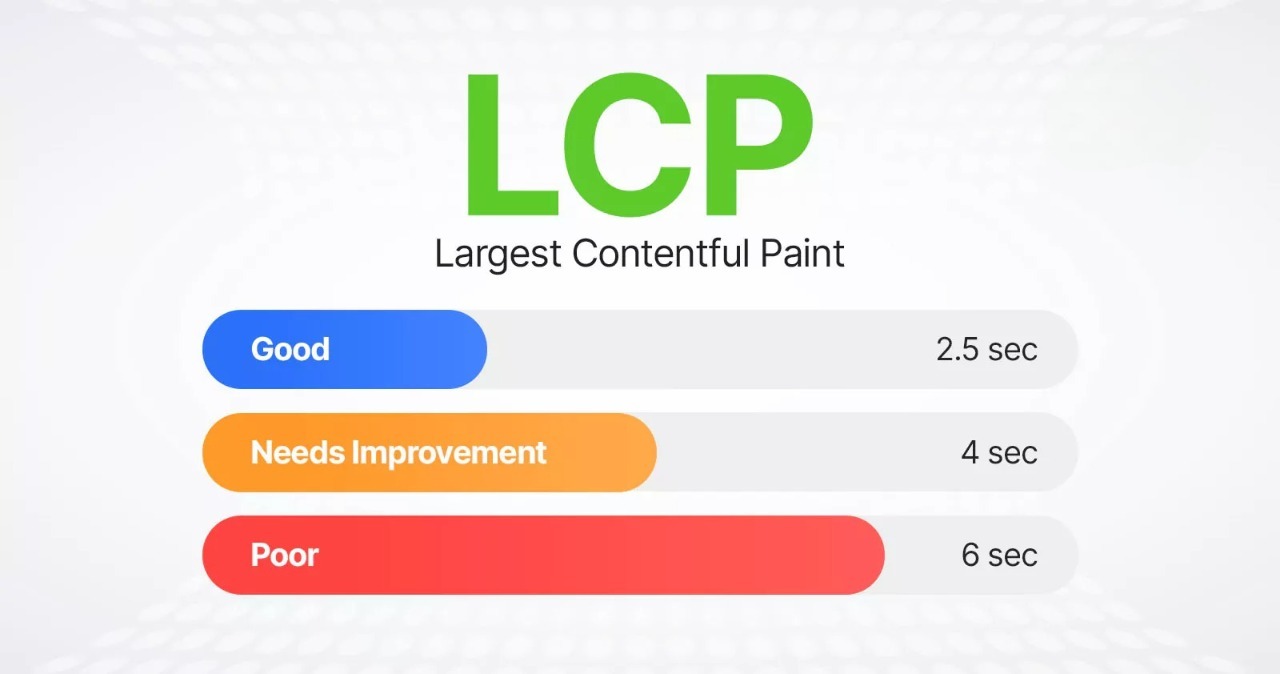
Largest Contentful Paint measures loading performance.
In simple terms, it measures how long it takes for the largest visible content element in the initial viewport to appear.
This could be:
- A large heading
- Hero image
- Product image
- Video poster
- Large block of text
Google recommends an LCP of 2.5 seconds or less for a good experience.
Common Causes of Poor LCP
A high LCP score can happen because of:
- Large unoptimized images
- Slow server response times
- Render-blocking CSS
- Too much JavaScript
- Poor hosting
- Third-party scripts
- Inefficient caching
- Slow fonts
How to Improve LCP
Start by identifying the largest element on the page.
Then consider:
- Compressing large images
- Using modern image formats such as WebP or AVIF
- Preloading important assets
- Improving server response time
- Removing unnecessary scripts
- Reducing unused CSS
- Using browser caching
- Using a CDN where appropriate
For most websites, the hero image is one of the first places worth investigating.
2. Interaction to Next Paint (INP)
Interaction to Next Paint measures how responsive a webpage is when users interact with it.
INP replaced First Input Delay (FID) as a Core Web Vital in March 2024.
Examples of interactions include:
- Clicking a menu
- Selecting a product
- Opening a popup
- Submitting a form
- Adding an item to a cart
- Using filters
- Clicking buttons
Google recommends an INP of 200 milliseconds or less for a good experience.
What Causes Poor INP?
JavaScript is often the main culprit.
Heavy JavaScript can keep the browser busy processing tasks instead of responding immediately to the visitor.
Common problems include:
- Large JavaScript bundles
- Long-running scripts
- Excessive third-party tools
- Poorly optimized event handlers
- Heavy tracking scripts
- Unnecessary animations
- Complex page components
How to Improve INP
Developers can improve INP by:
- Reducing JavaScript execution
- Breaking long tasks into smaller tasks
- Removing unnecessary third-party scripts
- Deferring non-critical JavaScript
- Optimizing event handlers
- Reducing DOM complexity
- Loading functionality only when required
You don't necessarily need to remove every script from your website.
The goal is to identify scripts that provide little value while consuming significant browser resources.
3. Cumulative Layout Shift (CLS)
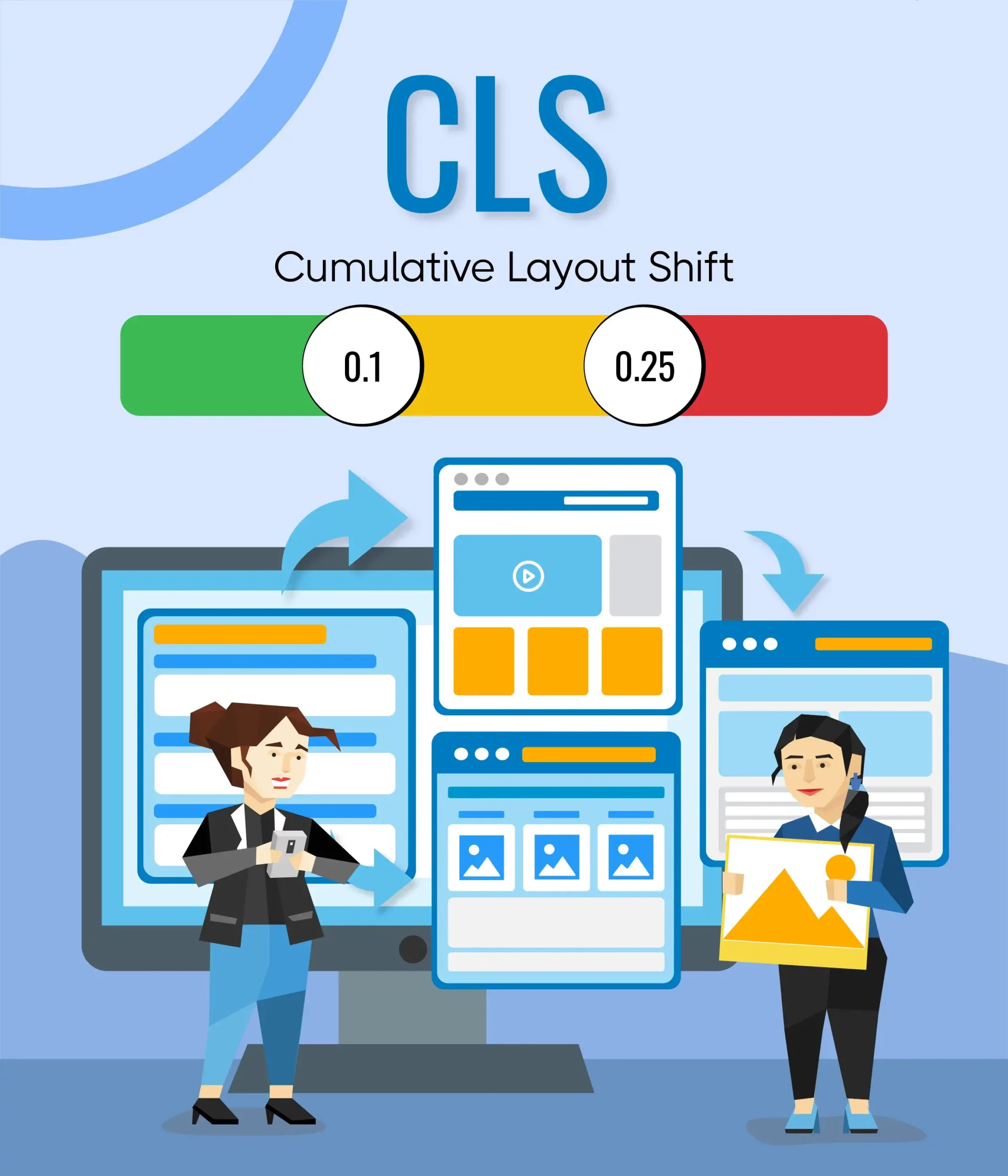
Have you ever tried clicking a button only for the page to move just before you click it?
That's a classic layout shift.
Cumulative Layout Shift measures visual stability.
Google recommends a CLS score of 0.1 or less.
Common Causes of Poor CLS
CLS problems are often caused by:
- Images without defined dimensions
- Ads loading dynamically
- Web fonts changing the layout
- Embedded videos without reserved space
- Dynamically injected content
- Popups moving existing content
- Banners appearing above existing content
How to Improve CLS
Reserve space for elements before they load.
For images, specify width and height or use an appropriate aspect ratio.
For advertisements and embeds, allocate the required space before the content appears.
Also avoid inserting important content above existing content after the page has started loading.
How to Check Your Core Web Vitals
Before making changes, measure your website.
Don't start optimizing blindly.
Several tools can help you identify Core Web Vitals issues.
1. Google Search Console
Google Search Console includes a Core Web Vitals report that helps website owners identify groups of URLs experiencing performance problems.
It's particularly useful because it shows performance based on real user data where sufficient data is available.
Look for pages classified as:
- Poor
- Needs improvement
- Good
Start with important pages rather than trying to fix every URL at once.
Your homepage, service pages, product pages, and high-traffic blog posts should usually receive priority.
2. PageSpeed Insights
PageSpeed Insights is useful for testing individual URLs and identifying potential performance improvements.
It combines real-world data where available with diagnostic testing.
Use it to investigate:
- LCP
- INP
- CLS
- JavaScript
- CSS
- Images
- Server response
- Caching
- Third-party resources
3. Lighthouse
Lighthouse can help developers audit performance and identify technical opportunities for improvement.
Google recommends tools such as Search Console, PageSpeed Insights, and Lighthouse for measuring and improving page experience.
How to Improve Core Web Vitals
Improving Core Web Vitals isn't about applying one magic setting.
It usually requires several small improvements across the website.
1. Optimize Images
Large images are one of the most common causes of slow pages.
Before uploading an image:
- Resize it to the required dimensions
- Compress it
- Use WebP or AVIF where suitable
- Avoid unnecessarily large files
- Use responsive image sizes
- Lazy-load images that are below the fold
However, don't lazy-load the main above-the-fold image if doing so delays your LCP element.
2. Reduce Unnecessary JavaScript
Review the scripts installed on your website.
You may find scripts for:
- Chat widgets
- Heatmaps
- Analytics
- Advertising
- Social media
- Popups
- A/B testing
- Plugins
Not every script needs to load immediately.
Remove scripts you no longer use and delay non-critical scripts when possible.
This can improve both loading performance and responsiveness.
3. Improve Server Response Time
A website cannot load quickly if the server takes too long to respond.
Poor server performance can be caused by:
- Cheap or overloaded hosting
- Poor database queries
- Lack of caching
- Too many server-side processes
- Poor website architecture
Improving hosting and server configuration can therefore have a major impact on website performance.
4. Use Browser Caching
Caching allows returning visitors to reuse resources that have already been downloaded.
Configure appropriate cache policies for:
- Images
- CSS
- JavaScript
- Fonts
- Static assets
This reduces unnecessary downloads and can make repeat visits considerably faster.
5. Use a CDN
A Content Delivery Network can serve static files from locations closer to users.
This is particularly useful for businesses serving visitors across multiple countries.
For example, if your target audience includes users in the US, UK, Australia, and Europe, serving static assets through an appropriate CDN can reduce network latency.
6. Optimize Fonts
Fonts are often overlooked during performance optimization.
Using too many font families or weights can increase the number of files a browser needs to download.
Consider:
- Reducing font variants
- Using modern font formats
- Preloading only critical fonts
- Using
font-display: swap - Removing unused fonts
The goal is to maintain your site's design without unnecessarily increasing page weight.
7. Remove Unnecessary Third-Party Scripts
Third-party scripts can become a hidden performance problem.
Examples include:
- Advertising pixels
- Analytics tools
- Chat software
- Social widgets
- Tracking platforms
- Marketing automation tools
This doesn't mean you should remove important tracking.
Instead, review every script and ask:
Does this script provide enough business value to justify its performance cost?
For websites running Google Ads or Meta Ads, accurate tracking remains important. The solution is to implement tracking correctly and efficiently rather than simply removing it.
If you need help with this area, you can explore our Conversion Tracking Services.
Core Web Vitals and Mobile SEO
Mobile performance deserves special attention.
Many visitors access websites through smartphones and mobile networks, where device processing power and connection quality can vary significantly.
A website that feels fast on a high-end desktop may feel slow on a mid-range smartphone.
That's why you should test your website on both:
- Mobile
- Desktop
Don't optimize only for your own device.
Google also recommends evaluating page experience holistically, including mobile usability, HTTPS, intrusive interstitials, and other factors alongside Core Web Vitals.
Core Web Vitals and Google Ads Landing Pages
Core Web Vitals aren't only relevant to organic SEO.
They can also matter when you're paying for traffic.
Imagine spending money on Google Ads to attract potential customers and sending them to a page that takes five seconds to become usable.
You may be paying for the click, but losing the opportunity after the visitor arrives.
A strong landing page should therefore combine:
- Fast loading speed
- Clear messaging
- Relevant content
- Strong calls-to-action
- Mobile-friendly design
- Trust signals
- Simple navigation
- Accurate conversion tracking
If you're running paid campaigns, our Google Ads Management Services can help with campaign strategy, landing page performance, conversion optimization, and ongoing account management.
You can also read How to Generate Leads with Google Ads for more information about building a conversion-focused paid search strategy.
Core Web Vitals Are Only One Part of SEO
It's easy to become obsessed with PageSpeed scores.
A website owner may spend weeks trying to move a score from 92 to 100 while ignoring more important SEO problems.
That's usually the wrong approach.
Your SEO strategy should also cover:
- Search intent
- Keyword research
- Helpful content
- On-page SEO
- Internal linking
- Technical SEO
- Website architecture
- Structured data
- Mobile experience
- Crawlability
- Indexability
- Backlinks
- Conversion optimization
Google's current guidance emphasizes creating helpful, reliable, people-first content rather than producing content primarily for search engines.
For a broader SEO strategy, check out our guide on How to Get Your First 1000 Organic Visitors.
Common Core Web Vitals Mistakes
Focusing Only on the Homepage
Your homepage may perform well while important service or product pages perform poorly.
Check your highest-value URLs individually.
Chasing a Perfect PageSpeed Score
A 100 score isn't the ultimate SEO objective.
Real-world user experience and business outcomes matter more than an arbitrary score.
Ignoring Mobile Performance
Desktop performance doesn't tell you how every mobile visitor experiences your website.
Always test both.
Installing Too Many Plugins
On CMS platforms, unnecessary plugins can add scripts, stylesheets, database queries, and other overhead.
Audit your plugins regularly.
Optimizing Without Measuring
Don't change ten things at once and assume performance improved.
Measure the page, identify the largest issue, make a change, and test again.
Core Web Vitals SEO Checklist
Use this quick checklist when auditing a website:
- Check Core Web Vitals in Google Search Console
- Test important URLs with PageSpeed Insights
- Check mobile and desktop separately
- Review LCP performance
- Check INP responsiveness
- Identify CLS problems
- Compress large images
- Optimize the main LCP element
- Reduce unnecessary JavaScript
- Remove unused CSS and scripts
- Optimize web fonts
- Improve server response time
- Configure caching
- Consider CDN delivery
- Reserve space for images and embeds
- Review third-party scripts
- Test important landing pages
- Monitor performance after changes
Final Thoughts
Core Web Vitals should not be treated as a standalone SEO trick.
They are part of building a website that loads quickly, responds properly, and remains stable while users interact with it.
The three metrics to focus on are LCP, INP, and CLS. Aim for LCP of 2.5 seconds or less, INP of 200 milliseconds or less, and CLS of 0.1 or less.
But don't lose sight of the bigger picture.
A fast website with poor content won't suddenly outrank a highly relevant competitor. Similarly, excellent content cannot always compensate for a frustrating website experience.
The strongest SEO strategy combines useful content, technical SEO, strong internal linking, good website performance, mobile usability, and a smooth user experience.
If you're looking to improve your website's organic visibility, our SEO Services can help identify technical and on-page issues while building a long-term search strategy.
And if you're looking for a broader performance marketing strategy across SEO, Google Ads, Meta Ads, and conversion tracking, visit Scale With Clicks.
Frequently Asked Questions
What are Core Web Vitals?
Core Web Vitals are Google's user-focused metrics for measuring loading performance, responsiveness, and visual stability. The current metrics are LCP, INP, and CLS.
What is a good Core Web Vitals score?
Google recommends an LCP of 2.5 seconds or less, INP of 200 milliseconds or less, and CLS of 0.1 or less for a good user experience.
Do Core Web Vitals directly improve Google rankings?
Core Web Vitals are used by Google's ranking systems, but achieving good scores does not guarantee higher rankings. Google evaluates many signals, including relevance and content quality.
How do I check Core Web Vitals?
You can use Google Search Console for site-level reporting and tools such as PageSpeed Insights and Lighthouse to investigate individual pages and performance issues.
Which Core Web Vital is most important?
There isn't one metric that is universally the most important. LCP, INP, and CLS measure different parts of the user experience, so ideally all three should meet Google's recommended thresholds.
How often should I check Core Web Vitals?
For important websites, monitor them regularly, especially after website redesigns, theme changes, plugin updates, hosting migrations, or major changes to JavaScript and tracking.
Can Core Web Vitals affect conversions?
Poor website performance can create friction for visitors and make it harder for them to complete important actions such as submitting forms, purchasing products, or booking services. Improving performance is therefore useful not only for SEO but also for conversion optimization.