SEO
SEO Audit Checklist - 25+ Things to Check in 2026

Category: SEO
SEO can be difficult to diagnose when you only look at rankings.
A website might have good content but poor indexing. It might have strong backlinks but slow pages. Or it may rank reasonably well while losing potential traffic because of weak titles, outdated content, broken internal links, or technical SEO problems.
That is why a proper SEO audit needs to look at the entire website rather than focusing on one ranking factor.
In 2026, search has also become more complicated. Google continues to evolve how it understands content, pages, entities, images, structured data, and search experiences. Google Search Central's current documentation continues to emphasize technical accessibility, useful content, structured data, Search Console monitoring, and following Search Essentials and spam policies.
This SEO audit checklist covers more than 25 areas you should review when analyzing a website.
What Is an SEO Audit?
An SEO audit is a systematic review of a website to identify issues that may affect its ability to be crawled, indexed, understood, ranked, and used by visitors.
A complete website SEO audit usually covers:
- Technical SEO
- On-page SEO
- Content quality
- Keyword targeting
- Internal linking
- Mobile experience
- Page performance
- Structured data
- Images
- Search Console data
- Off-page signals
- Conversion opportunities
The goal isn't simply to find problems. The goal is to identify which problems are worth fixing first.
SEO Audit Checklist: 27 Things to Check
1. Check Whether Your Website Is Indexed
Start with the most basic question: Can Google actually index your important pages?
Search for your brand and important URLs, then check Google Search Console.
Look for pages that are:
- Indexed
- Not indexed
- Crawled but currently not indexed
- Discovered but currently not indexed
- Blocked by robots.txt
- Excluded because of a
noindexdirective
Google Search Console's URL Inspection tool can help you understand how Google sees an individual URL.
If important commercial pages aren't indexed, fixing that should generally come before publishing dozens of new articles.
2. Review Your Robots.txt File
Your robots.txt file tells crawlers which areas they can or cannot request.
Check that you're not accidentally blocking important sections such as:
- Service pages
- Blog posts
- Product pages
- Images
- CSS or JavaScript resources
A common mistake is adding a broad disallow rule during development and forgetting to remove it after launching the website.
Your robots.txt should support your SEO strategy rather than accidentally preventing crawling.
3. Check Your XML Sitemap
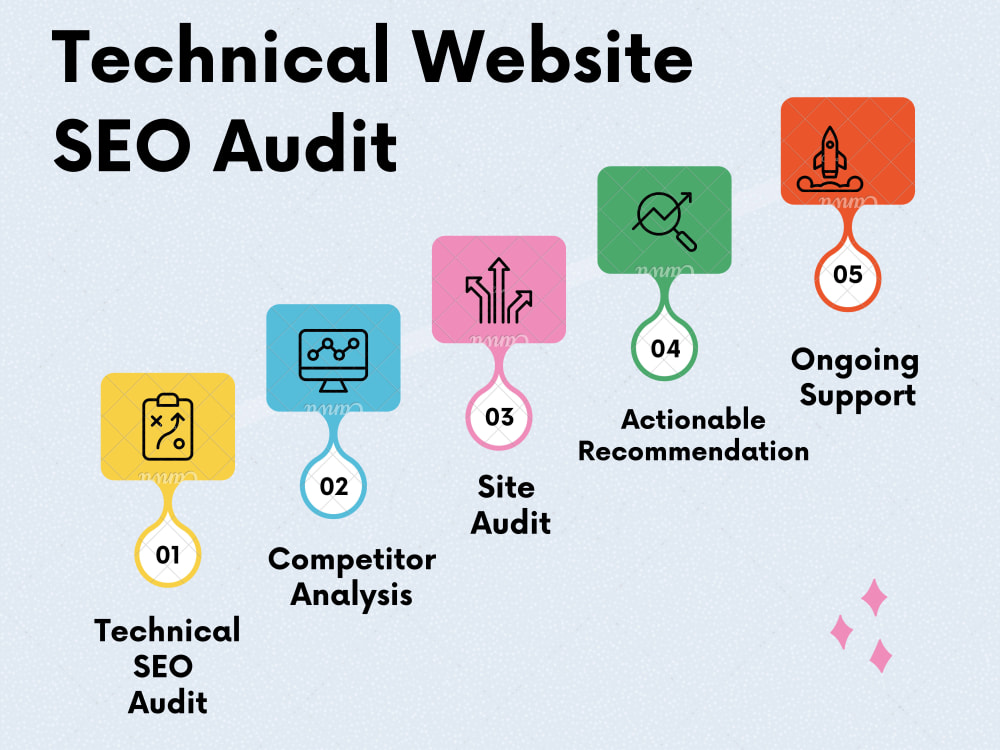
Your XML sitemap should contain the URLs you actually want search engines to discover and index.
Check for:
- Broken URLs
- Redirected URLs
- 404 pages
noindexpages- Duplicate URLs
- Incorrect canonical versions
- Unnecessary parameter URLs
After making major changes, monitor the sitemap through Google Search Console.
Google recommends submitting a sitemap to help keep Google informed about URLs on your website.
4. Audit Your URL Structure
Good URLs are simple, descriptive, and easy for people to understand.
For example:
/services/google-ads-agency
is generally clearer than:
/services/page?id=12345
Avoid changing URLs unnecessarily. If a URL must change, make sure the old URL is properly redirected to the relevant new URL.
5. Check Canonical Tags
Canonical tags help communicate which version of a page should be treated as the preferred URL.
Check for:
- Missing canonical tags
- Canonicals pointing to the wrong page
- Canonical loops
- Canonicals pointing to redirected URLs
- Multiple pages incorrectly canonicalized to one URL
Canonicalization becomes especially important when a website has duplicate or very similar URLs.
6. Review Page Titles
Every important page should have a useful, descriptive title.
Your title should communicate what the page is about and naturally incorporate the primary topic when appropriate.
For example:
Google Ads Agency for Lead Generation | Scale With Clicks
is more useful than:
Home | Scale With Clicks
Don't force keywords into every title. Write titles for the searcher first.
7. Improve Meta Descriptions
Meta descriptions aren't simply a place to insert keywords.
Use them to explain what someone will get from visiting the page.
A good description can communicate:
- The service or topic
- The benefit
- The target audience
- A reason to click
Keep descriptions natural rather than repeating the same keyword several times.
8. Check Your Heading Structure
Review the use of:
- H1
- H2
- H3
- H4
Each important page should have a clear main heading, followed by logical sections.
For example:
H1: SEO Audit Checklist
H2: Technical SEO Audit
H2: On-Page SEO Audit
H2: Content Audit
H3: Check Keyword Targeting
This makes the page easier to scan and gives search engines additional context about the content.
9. Audit Keyword Targeting
Every important landing page should have a clear search intent.
Ask:
What query or group of closely related queries is this page actually designed to answer?
Check whether the page naturally covers:
- Primary keyword
- Secondary keywords
- Related phrases
- User questions
- Search intent
Avoid creating separate pages for every tiny keyword variation when the search intent is essentially identical.
A strong keyword research strategy should influence your site architecture and content plan, not just individual blog posts.
10. Check for Keyword Cannibalization
Keyword cannibalization happens when multiple pages target very similar search intent and compete with each other.
For example, a website might have:
- Best SEO Services
- Top SEO Services
- Affordable SEO Services
- Professional SEO Services
If all four pages target essentially the same intent, the website may benefit from consolidating or differentiating them.
Use Google Search Console to identify which pages receive impressions and clicks for important queries.
11. Review Content Quality
Don't audit content only by word count.
A 1,000-word article that directly answers the user's question can be more useful than a 3,000-word article filled with repetition.
Ask:
- Does the content answer the query?
- Is it accurate?
- Is it easy to understand?
- Does it provide useful examples?
- Is the information current?
- Does it demonstrate first-hand knowledge where appropriate?
- Does it provide something beyond generic information?
Google's Search Central documentation emphasizes following Search Essentials and avoiding content created primarily to manipulate search rankings.
12. Update Outdated Content
An SEO audit should identify content that has become outdated.
Look for:
- Old statistics
- Old screenshots
- Discontinued tools
- Outdated SEO recommendations
- Old dates
- Broken links
- References to previous Google features
Don't change the date simply to make an old article look new. Update the actual content when there is something meaningful to improve.
13. Find Thin or Low-Value Pages
Look for pages that provide very little unique value.
Examples can include:
- Empty category pages
- Duplicate service pages
- Very short articles
- Old announcements
- Duplicate location pages
- Automatically generated pages
Possible actions include:
- Improve
- Merge
- Redirect
- Remove
- Keep if there is a legitimate user purpose
14. Audit Internal Links
Internal links help users navigate your website and help search engines discover relationships between pages.
Instead of using generic anchor text such as "click here," use descriptive phrases.
For example, if you're discussing paid search, you could naturally link the phrase Google Ads management services to your relevant service page.
You can also connect supporting articles to commercial pages. For example, an article about tracking can naturally reference your conversion tracking services.
15. Build Topic Clusters
Your blog shouldn't be a collection of unrelated articles.
Create groups of content around important subjects.
For example, a Google Ads cluster could include:
- Google Ads campaign structure
- Google Ads mistakes
- Google Ads Auction Insights
- RSA optimization
- Conversion tracking
- Landing page optimization
Your Google Ads agency page can act as the commercial destination while supporting articles answer informational searches.
This creates a clearer relationship between your blog content and service pages.
16. Check Broken Internal Links
Broken links create a poor user experience and make website maintenance harder.
Run a crawl and look for:
- 404 errors
- Redirect chains
- Redirect loops
- Links to deleted pages
- Incorrect URLs
- HTTP links on an HTTPS website
Fix internal links rather than relying on redirects wherever practical.
17. Audit External Links
Review links pointing users to other websites.
Check whether important external links are:
- Still active
- Relevant
- Going to the intended destination
- Appropriate for the page
Also check links that may have been inserted into old content or comments.
Google's spam policies specifically warn against manipulative or low-quality linking practices, including certain keyword-rich or distributed links intended to manipulate ranking signals.
18. Check Mobile Usability
Open important pages on an actual smartphone.
Check:
- Text size
- Navigation
- Buttons
- Forms
- Popups
- Horizontal scrolling
- Images
- Sticky elements
- Page spacing
A page can technically work on mobile while still providing a frustrating experience.
19. Review Core Web Vitals and Page Speed
Page performance should be part of every technical SEO audit.
Check important templates for:
- Largest Contentful Paint (LCP)
- Interaction to Next Paint (INP)
- Cumulative Layout Shift (CLS)
Also review:
- Image sizes
- JavaScript
- CSS
- Third-party scripts
- Font loading
- Server response time
- Caching
Don't optimize blindly. Identify the biggest performance bottlenecks first.
20. Audit Images
Images are often overlooked during SEO audits.
Check whether important images have:
- Descriptive filenames
- Appropriate dimensions
- Useful alt text
- Modern compression
- Proper display sizes
- Relevant surrounding content
Avoid stuffing keywords into alt text. Describe the image when the description is useful.
Google also updated its documentation in 2026 around preferred images and how metadata can help determine image thumbnails for Search and Discover.
21. Check HTTPS and Security
Your entire website should use HTTPS.
Check for:
- HTTP versions still accessible
- Mixed content
- Incorrect redirects
- SSL certificate issues
- Security warnings
Also make sure important forms and payment-related pages are securely implemented.
22. Review Structured Data
Structured data helps search engines understand specific types of information on a page.
Depending on your website, relevant structured data can include:
- Organization
- Article
- Breadcrumb
- Product
- Local Business
- Profile Page
- Software Application
Don't add schema simply because you can. The markup should accurately represent visible page content and follow Google's guidelines.
Google recommends validating structured data and using Search Console to monitor relevant results and errors.
23. Check Breadcrumbs and Site Architecture
Your website structure should make sense from both a user and crawler perspective.
For example:
Home → Services → Google Ads Agency
and:
Home → Blog → Google Ads → Google Ads Campaign Structure
A logical hierarchy makes it easier for visitors to understand where they are and how pages relate to one another.
24. Analyze Google Search Console Data
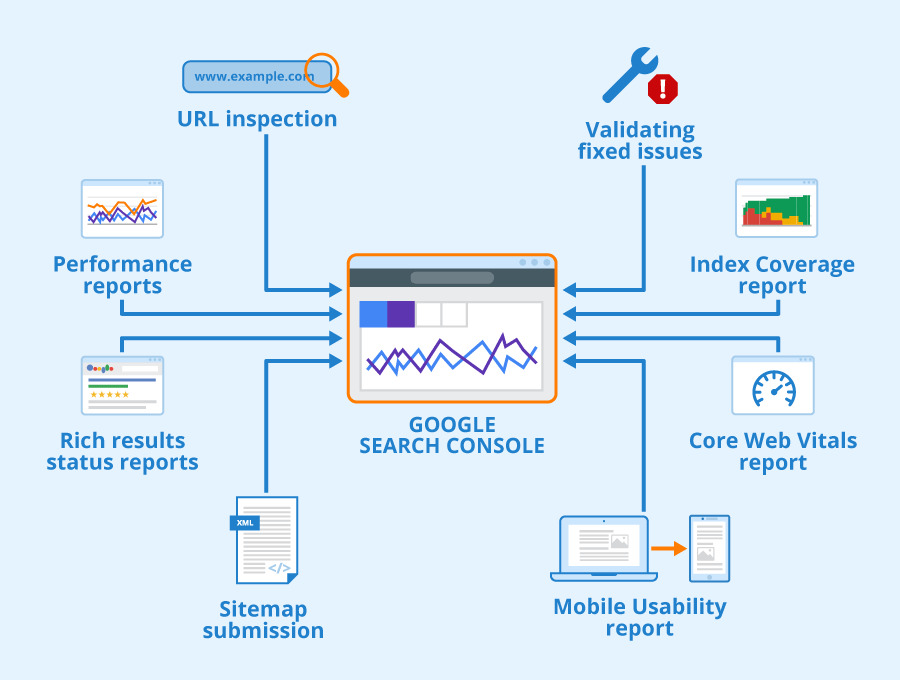
Don't perform an SEO audit without looking at actual search data.
Review:
- Clicks
- Impressions
- CTR
- Average position
- Top queries
- Top pages
- Countries
- Devices
- Indexing reports
- Search appearance
Look for pages with high impressions but low CTR. These can sometimes reveal opportunities to improve titles, descriptions, content alignment, or search intent.
25. Check Google Analytics and Conversion Tracking
Traffic alone isn't enough.
An SEO campaign should ultimately support business outcomes.
Make sure you can measure actions such as:
- Form submissions
- Phone calls
- WhatsApp clicks
- Email clicks
- Book-a-call clicks
- Purchases
- Lead quality
This is where SEO connects with broader conversion tracking and digital marketing performance.
If you are improving organic traffic but cannot determine whether that traffic generates leads or sales, the audit is incomplete.
26. Review Backlinks
Backlinks remain an important part of website authority, but quantity shouldn't be the only metric.
Review:
- Referring domains
- Relevant links
- Brand mentions
- Lost backlinks
- Suspicious patterns
- Anchor text distribution
- Links pointing to important pages
Focus on earning relevant, legitimate references rather than building large numbers of low-quality links.
27. Check Your Brand Search Presence
Search your company or brand name.
Look at:
- Website result
- Social profiles
- Business profiles
- Review platforms
- Directory listings
- Knowledge-related search features
- Brand mentions
Make sure important brand assets are consistent.
For a growing business, improving branded search visibility can also make it easier for people who have already encountered the company to find the correct website.
Bonus: 5 SEO Checks Many Businesses Forget
28. Check Orphan Pages
An orphan page has little or no internal linking from other relevant pages.
Even if the page is technically indexed, it may be disconnected from the rest of the website.
Find orphan pages and determine whether they should be:
- Internally linked
- Consolidated
- Redirected
- Removed
29. Review Redirect Chains
A redirect from URL A → B → C creates an unnecessary chain.
Where practical, point the original URL directly to the final destination.
This is particularly important after website redesigns or migrations.
30. Check Duplicate Content
Look for pages with substantially similar content.
Common sources include:
- URL parameters
- Multiple versions of a page
- Printer pages
- Location variations
- Product variations
- HTTP/HTTPS versions
- www/non-www versions
Not every duplicate or similar page is automatically a problem, but unnecessary duplication can make site management and indexing more complicated.
31. Check Search Intent
Before changing a page, search the target keyword yourself.
Look at what Google is currently showing.
Is the search primarily:
- Informational?
- Commercial?
- Transactional?
- Navigational?
If the search results overwhelmingly contain guides and tutorials, trying to rank a thin sales page for that query may not match the intent.
32. Check Your Conversion Paths
Finally, ask a question that many SEO audits miss:
What happens after someone lands on the page?
A visitor might discover your website through Google and still leave without contacting you.
Check:
- CTA visibility
- Lead forms
- Contact information
- Trust signals
- Case studies
- Testimonials
- Service information
- Mobile forms
- Page-to-page navigation
For businesses investing in SEO services, organic traffic should ultimately connect with a clear conversion path.
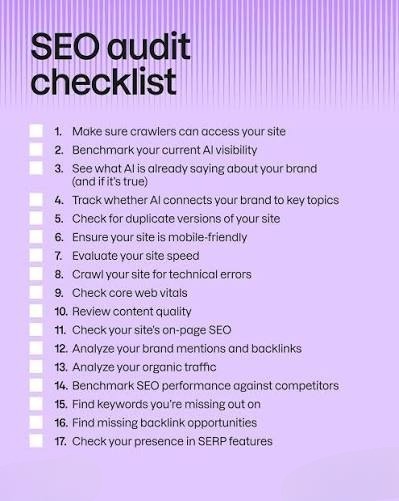
SEO Audit Checklist Summary
Here is the quick version you can use before publishing or reviewing a website:
- Website indexed
- Robots.txt reviewed
- XML sitemap working
- URL structure clean
- Canonical tags correct
- Page titles optimized
- Meta descriptions reviewed
- Heading structure logical
- Keyword targeting defined
- Keyword cannibalization checked
- Content quality reviewed
- Outdated content updated
- Thin pages identified
- Internal links optimized
- Topic clusters created
- Broken links fixed
- External links reviewed
- Mobile experience tested
- Core Web Vitals checked
- Images optimized
- HTTPS verified
- Structured data validated
- Breadcrumbs reviewed
- Search Console analyzed
- Analytics and conversions tracked
- Backlinks reviewed
- Brand search presence checked
- Orphan pages identified
- Redirect chains fixed
- Duplicate content reviewed
- Search intent validated
- Conversion paths tested
Final Thoughts
A good SEO audit in 2026 isn't about finding a magic ranking factor.
It's about understanding how the entire website works together.
Technical SEO makes the site accessible. Content answers the user's questions. Internal linking connects related topics. Structured data can help search engines understand eligible content types. Performance improves the experience. Search Console provides real-world data. And conversion tracking tells you whether organic traffic is actually contributing to the business.
Start with the issues that can prevent important pages from being discovered, crawled, indexed, or understood. Then move into content, internal linking, performance, authority, and conversion optimization.
If you want to turn an audit into an ongoing growth strategy, explore our SEO services or learn more about conversion tracking to connect marketing activity with measurable business outcomes.
You can also continue learning with our guides on Google Tag Manager and website tracking, Google Ads mistakes to avoid, and landing page optimization.
For a broader overview of Google's current search guidance, Google Search Central's documentation is also a useful reference.
Frequently Asked Questions
How often should I perform an SEO audit?
For most websites, a detailed audit every few months is useful, with ongoing monitoring in between. Larger websites, websites undergoing frequent changes, and ecommerce sites may need more frequent technical monitoring.
What is the most important part of an SEO audit?
There isn't one universal item. Start by checking whether important pages can be crawled and indexed, then review content quality, search intent, internal linking, technical performance, and conversion paths.
Can I perform an SEO audit myself?
Yes. Google Search Console, analytics platforms, browser tools, and website crawlers can help you identify many SEO issues. More technical websites may require deeper crawling and log or server analysis.
Does an SEO audit guarantee higher rankings?
No. An audit identifies potential problems and opportunities; fixing them does not guarantee a specific ranking position. Search visibility depends on many factors, including relevance, competition, content quality, technical accessibility, and how Google's systems evaluate search results.
What should I fix first after an SEO audit?
Prioritize issues that prevent important pages from being accessible, crawled, indexed, or correctly understood. After that, prioritize high-value content and pages where improvements can have a meaningful business impact.