SEO
Internal Linking for SEO - Complete Strategy Guide 2026

Category: SEO
Internal Linking for SEO: Complete Strategy Guide 2026
Internal linking is one of the simplest SEO techniques, but it is also one of the most commonly overlooked.
Most website owners spend a lot of time researching keywords, publishing blog posts, and building backlinks. However, they often forget to connect their own pages properly.
A strong internal linking strategy can help search engines discover important pages, understand the relationship between different topics, distribute authority across your website, and make it easier for visitors to find useful information.
The good news is that you don't need hundreds of backlinks or complicated SEO tools to start improving your internal links. You can often get meaningful improvements simply by looking at the content you already have and connecting related pages in a logical way.
In this guide, we'll explain internal linking for SEO, how internal links work, where to place them, how to choose anchor text, common mistakes to avoid, and how to create an internal linking structure that can support your website's organic growth in 2026.
What Is Internal Linking in SEO?
An internal link is a link that connects one page on your website to another page on the same website.
For example, if you're reading an article about SEO and the article naturally mentions Google Ads, you could link that phrase to a relevant Google Ads guide or service page.
The important point is that the link should make sense in context.
For example:
Businesses using both organic and paid acquisition can also learn how to generate leads with Google Ads.
The phrase how to generate leads with Google Ads can naturally point to a relevant article instead of adding a generic "click here" link.
Internal links are different from external links because they keep users within your own website.
They can connect:
- Blog posts
- Service pages
- Product pages
- Category pages
- Landing pages
- Case studies
- Homepage
- Supporting resources
A well-organized website should not have important pages sitting completely isolated from the rest of the site.
Why Are Internal Links Important for SEO?
Internal links serve two audiences: search engines and real users.
When search engines crawl your website, internal links help them discover pages and understand how different sections of your website are connected.
For users, internal links provide a natural path to additional information.
For example, someone reading about organic traffic may want to learn about keyword research, on-page SEO, technical SEO, or even paid advertising.
Instead of forcing that visitor to return to Google and search again, you can guide them to the next relevant resource.
A strong internal linking structure can help with:
1. Better Page Discovery
Search engines need to discover your pages before they can properly evaluate and index them.
Internal links provide additional paths for crawlers to find content.
This becomes particularly important for larger websites with hundreds or thousands of pages.
2. Better Website Navigation
Internal links make it easier for visitors to move between related topics.
For example, a visitor reading about how to get your first 1,000 organic visitors can naturally move toward other SEO resources rather than leaving the website.
3. Stronger Topic Relationships
Internal links help establish connections between related content.
Suppose you have articles about:
- Keyword research
- On-page SEO
- Technical SEO
- Internal linking
- Link building
- Organic traffic
Connecting these pages creates a stronger topical structure than publishing each article independently.
4. Distribution of Internal Authority
Internal links can help distribute the value and importance of pages throughout your website.
If an important page receives links from several relevant pages, it becomes easier for both users and search engines to understand that the page matters within your website structure.
5. More Opportunities for Users to Convert
Internal links aren't only about rankings.
A visitor who enters your website through a blog post may eventually need a service.
For example, someone researching SEO may eventually be interested in professional SEO Services.
That is why internal linking should support both SEO and the customer journey.
Internal Linking vs External Linking
Internal and external links have different purposes.
Internal Links
Internal links point to another page on the same website.
Example:
Your website → Your SEO service page
They help with:
- Navigation
- Content relationships
- Page discovery
- Topic organization
- User experience
External Links
External links point from your website to another website.
Example:
Your website → Google Search Central
External links can be useful when referencing reliable sources, research, statistics, or additional information.
A healthy SEO strategy normally uses both.
However, internal links are completely under your control, which makes them one of the easiest areas of SEO to improve.
How to Create an Effective Internal Linking Strategy
Creating internal links randomly isn't enough.
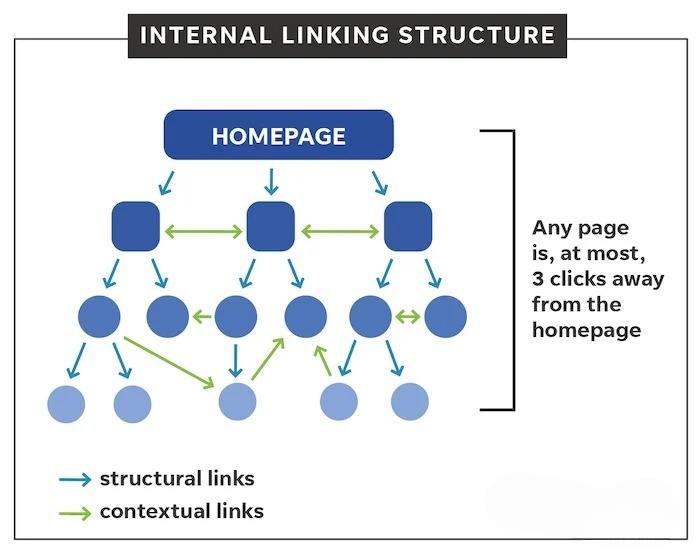
The goal is to build a structure where important pages receive relevant links from other pages.
Here's a practical approach.
1. Start With Your Most Important Pages
Before adding links, identify the pages that matter most to your business.
These might include:
- Homepage
- Main service pages
- Product pages
- High-converting landing pages
- Important category pages
- High-performing blog posts
- Case studies
For Scale With Clicks, for example, service pages covering Google Ads Management, Meta Ads Management, and SEO Services can be supported by relevant educational blog content.
This creates a natural path:
Informational content → Relevant service → Lead/contact
2. Build Topic Clusters
One of the most effective ways to approach internal linking is through topic clusters.
Instead of creating dozens of unrelated articles, organize content around major topics.
For example:
Main Topic: SEO
Supporting content could include:
- Internal Linking for SEO
- On-Page SEO
- Technical SEO
- Keyword Research
- SEO for Small Businesses
- How to Increase Organic Traffic
- SEO Audit Checklist
The main topic acts as a broader hub while supporting articles provide depth.
You can then connect these pages wherever the relationship is genuinely useful.
This also makes content planning easier because you can see which areas of your website are missing supporting content.
3. Link From High-Traffic Pages to Important Pages
One of the easiest internal linking opportunities is hiding inside your existing content.
Look at your Google Analytics and Google Search Console data and identify pages that already receive organic traffic.
These pages may have strong visibility and backlinks.
Now look for natural opportunities to link from those pages to:
- New articles
- Important service pages
- Pages that need more visibility
- Related guides
For example, a page receiving thousands of monthly visitors can potentially become an important internal linking source for newer content.
Don't force links into every paragraph. Look for genuine contextual opportunities.
4. Use Descriptive Anchor Text
Anchor text is the clickable text used for a link.
Instead of repeatedly using:
Click here
Use descriptive phrases that explain what the visitor will find.
For example:
Weak:
Click here to learn more about Google Ads.
Better:
Learn how to generate leads with Google Ads.
The second version gives users a much clearer idea of what they will find after clicking.
Good anchor text should be:
- Relevant
- Descriptive
- Natural
- Concise
- Useful to the reader
Avoid forcing exact-match keywords into every internal link.
Google doesn't need every anchor to be identical.
5. Link to Relevant Content, Not Just Pages You Want to Rank
One common internal linking mistake is linking every article to the same service page.
For example, adding a link to "Google Ads Management" in an article about every SEO topic may not make sense.
The better approach is to ask:
"What would the reader logically want to read next?"
If you're discussing conversion tracking, linking to a Google Ads conversion tracking guide makes sense.
If you're discussing analytics, a GA4 setup guide may be more relevant.
If you're discussing Meta advertising, a guide covering Meta Pixel setup could be a useful next step.
The relevance of the link matters more than simply increasing the number of links.
6. Connect Older Content to Newer Content
Internal linking should not only happen when publishing a new article.
Every time you publish a new piece of content, go back to your older relevant articles.
Find places where the new article adds additional value and link to it.
For example, if you publish this guide in August 2026, older SEO articles should eventually be reviewed for relevant opportunities to reference it.
This creates a continuous internal linking system.
A simple workflow is:
Publish new article → Find 5–10 relevant older articles → Add contextual links → Update older content
This is especially useful for websites that already have a large content library.
7. Don't Forget Your Service Pages
Many businesses create internal links between blog posts but forget their money pages.
This is a missed opportunity.
Informational content can naturally introduce users to relevant services.
For example:
If your website is receiving organic traffic but rankings are not improving, a detailed SEO audit can help identify technical and on-page issues.
The words SEO audit or SEO Services could naturally link to your relevant service page.
Similarly, an article about paid search could introduce readers to Google Ads Management Services.
An article about social advertising can point toward Meta Ads Management Services.
The key is to make the transition useful rather than promotional.
How Many Internal Links Should a Page Have?
There is no universal number that every page should follow.
A 1,000-word article might naturally require five internal links, while a 3,000-word guide could reasonably contain many more.
Instead of asking:
"How many internal links should I add?"
Ask:
"How many internal links would genuinely help the reader?"
Avoid adding links simply to hit a specific number.
A practical starting point for a 2,000-word article might be:
- 3–5 links to related blog posts
- 1–3 links to relevant service pages
- 1 link to the homepage where appropriate
- Additional links where the context genuinely requires them
These are guidelines, not strict SEO rules.
Where Should You Place Internal Links?
Not all links have the same practical value from a user-experience perspective.
Within the Main Content
Contextual links inside the article are usually the most useful because they appear exactly when the reader needs additional information.
Navigation
Your main navigation should connect users to important sections of your website.
Breadcrumbs
Breadcrumbs can help users understand where they are within the website hierarchy.
Related Articles
A related-post section at the end of an article can provide additional navigation opportunities.
Footer
Footer links can be useful for important pages, but don't turn the footer into a huge collection of keyword-heavy links.
The strongest internal linking strategy combines these elements instead of relying on one location.
Internal Linking Mistakes to Avoid
Even though internal linking is relatively simple, several mistakes can reduce its effectiveness.
1. Using "Click Here" Everywhere
Generic anchors don't explain what the destination page is about.
Use descriptive language instead.
2. Adding Links That Don't Match the Topic
A link should have a clear reason for being there.
If the connection isn't obvious, the link probably doesn't belong.
3. Overusing Exact-Match Anchor Text
Using the same keyword repeatedly can make your content feel unnatural.
Use variations where appropriate.
For example:
- Internal linking strategy
- SEO internal links
- Website internal linking
- Internal linking best practices
- Building internal links
4. Linking Only to the Homepage
Your homepage shouldn't be the destination for every internal link.
Send visitors directly to the most relevant page.
5. Ignoring Orphan Pages
An orphan page is a page that has little or no internal links pointing to it.
These pages can be difficult for both users and crawlers to discover.
Review your website regularly and make sure important pages have relevant internal links.
6. Linking Too Many Times to the Same Page
If the same destination appears repeatedly within a short article, the additional links may provide little value.
Prioritize quality and context.
7. Forgetting Older Content
Your internal linking structure should evolve as your website grows.
Every new article creates potential linking opportunities across your existing content.
A Practical Internal Linking Example
Imagine you run a digital marketing website.
You have these pages:
Pillar Page
- Complete SEO Guide
Supporting Articles
- Keyword Research Guide
- On-Page SEO Guide
- Technical SEO Guide
- Internal Linking Guide
- How to Increase Organic Traffic
Commercial Pages
- SEO Services
- Google Ads Services
- Meta Ads Services
A visitor lands on your article about increasing organic traffic.
Within that article, you could naturally link:
Before trying to increase traffic, make sure your website has a solid on-page SEO strategy and a logical internal linking structure.
Later:
If you're combining organic traffic with paid acquisition, understanding how Google Ads generates leads can help you build a more complete growth strategy.
And near the conclusion:
Businesses that need a more structured approach can explore professional SEO Services.
Now one article supports several relevant pages without making the content feel stuffed with links.
How to Audit Your Internal Links
You don't need to wait until you have hundreds of pages before auditing your internal linking structure.
Start with these steps.
Step 1: Export Your Important Pages
Create a list of:
- Top organic landing pages
- Important service pages
- High-converting pages
- New blog posts
- Pages with backlinks
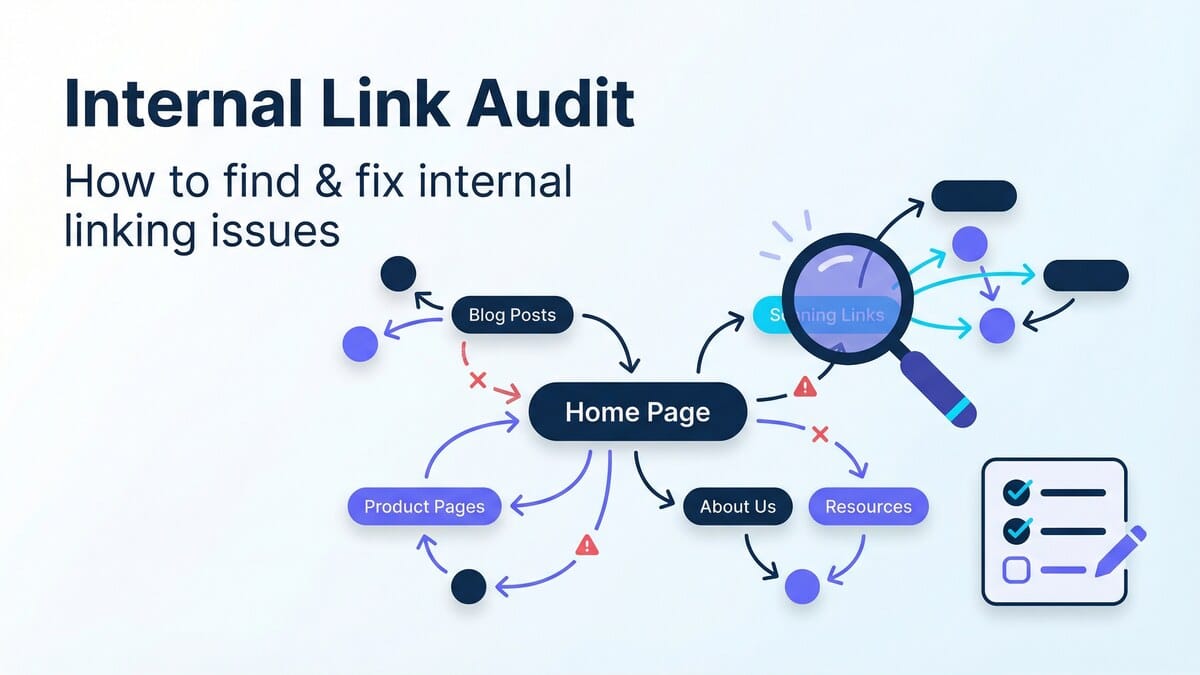
Step 2: Identify Orphan Pages
Find pages that receive little or no internal linking.
Ask whether those pages are still important.
Step 3: Look for Relevant Connections
For each important page, search your existing articles for relevant topics.
For example, if you have a new article about internal linking, search older articles for terms such as:
- SEO
- internal links
- website structure
- on-page SEO
- organic traffic
- rankings
- content strategy
These can reveal natural linking opportunities.
Step 4: Review Anchor Text
Make sure your anchors describe the destination accurately.
Step 5: Check Broken Links
A broken internal link creates a poor experience and wastes a useful navigation opportunity.
Regularly check for:
- 404 pages
- Redirect chains
- Incorrect URLs
- Deleted articles
- Changed slugs
Step 6: Review the Structure Regularly
Internal linking shouldn't be treated as a one-time task.
As your website grows, your internal link structure should grow with it.
Internal Linking Strategy for New Websites
If your website is new and only has 10–20 pages, don't overcomplicate things.
Start with a simple structure.
Your homepage should link to your major categories and services.
Your category pages should link to relevant articles.
Your articles should link to related articles and important commercial pages.
For example:
Homepage
↓
SEO Services
↓
SEO Guide
↓
Internal Linking Guide
↓
Related SEO Articles
This creates a logical hierarchy from broad topics to specific information.
As you publish more content, expand the structure into topic clusters.
Internal Linking Strategy for Large Websites
Large websites require a more systematic approach.
If you have hundreds or thousands of pages, manually adding links without a plan can quickly become messy.
Consider grouping pages by:
- Topic
- Category
- Search intent
- Funnel stage
- Business importance
Your most important pages should receive links from relevant supporting content.
You can also periodically identify pages that have:
- High traffic but few outbound internal links
- High authority but few links to important pages
- Strong rankings but poor conversion paths
- Valuable content but very few internal links
These pages can become powerful internal linking hubs.
Does Internal Linking Still Matter for SEO in 2026?
Yes.
Search engines continue to rely heavily on links to discover and understand pages.
But modern SEO is not about adding as many links as possible.
The real goal is to build a website that makes sense.
Your content should have clear relationships.
Your navigation should be logical.
Your important pages should be easy to discover.
And your internal links should help users move naturally from one question to the next.
This becomes even more important as websites publish content around increasingly similar keywords.
Instead of creating multiple articles that compete with each other, use internal links to establish relationships between broader guides and supporting content.
Final Thoughts
A good internal linking strategy for SEO doesn't require complicated tactics.
Start by understanding which pages are important, group related content together, and create natural connections between them.
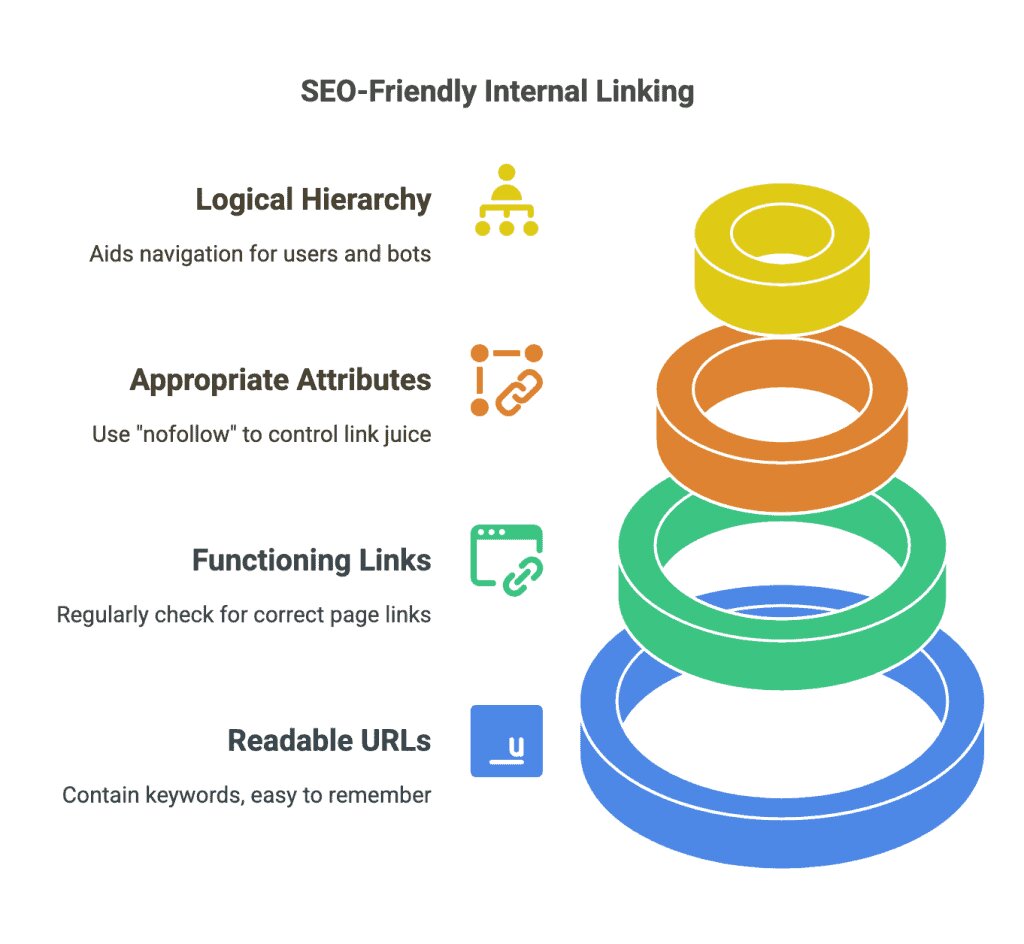
Focus on:
- Relevant internal links
- Descriptive anchor text
- Topic clusters
- Important service pages
- Older and newer content connections
- Orphan page identification
- Broken link monitoring
- User experience
Most importantly, don't treat internal linking as something you do only when publishing a new blog.
Your website is constantly changing.
New content is published. Old content is updated. Services change. URLs change. New pages become important.
Reviewing and improving your internal links should therefore become part of your regular SEO process.
If you're already creating content but struggling to turn that content into consistent organic traffic, a broader SEO strategy may be needed. You can explore professional SEO Services or visit the Scale With Clicks website to learn more about its digital marketing services.
For businesses using multiple acquisition channels, internal linking can also work alongside Google Ads Management and Meta Ads Management to create a stronger overall marketing funnel.
A website that connects its content properly is easier to navigate, easier to crawl, and easier to grow.
That's what makes internal linking such a valuable part of SEO in 2026.
Frequently Asked Questions
What is internal linking in SEO?
Internal linking is the practice of linking one page on your website to another page on the same website. It helps users navigate your content and helps search engines discover and understand relationships between pages.
How many internal links should an SEO article have?
There is no fixed number. Add internal links wherever they provide genuine value to the reader. A 2,000-word article might naturally contain several relevant internal links, but quality and relevance are more important than hitting a specific number.
Does internal linking improve Google rankings?
Internal linking can support SEO by helping search engines discover pages, understand website structure, and identify relationships between content. It can also help distribute internal authority across relevant pages.
What is the best anchor text for internal links?
Use concise, descriptive anchor text that accurately explains the destination page. Avoid relying on generic phrases such as "click here" or forcing the exact same keyword into every link.
What are orphan pages in SEO?
An orphan page is a page that has no or very few internal links pointing to it from other pages on the website. Important orphan pages can be difficult for users and search engine crawlers to discover.
Should blog posts link to service pages?
Yes, when the service is genuinely relevant to the topic. For example, an article about improving organic traffic can naturally link to an SEO service page if readers may need professional SEO assistance.
Should every page link to the homepage?
Not necessarily. Your homepage should be accessible through navigation and other appropriate links, but internal links should primarily point users toward the most relevant destination for the context.
How often should I audit internal links?
For a small website, reviewing internal links every few months can be useful. Larger websites should monitor them more frequently, especially after publishing large amounts of new content or changing URLs.