Google Ads
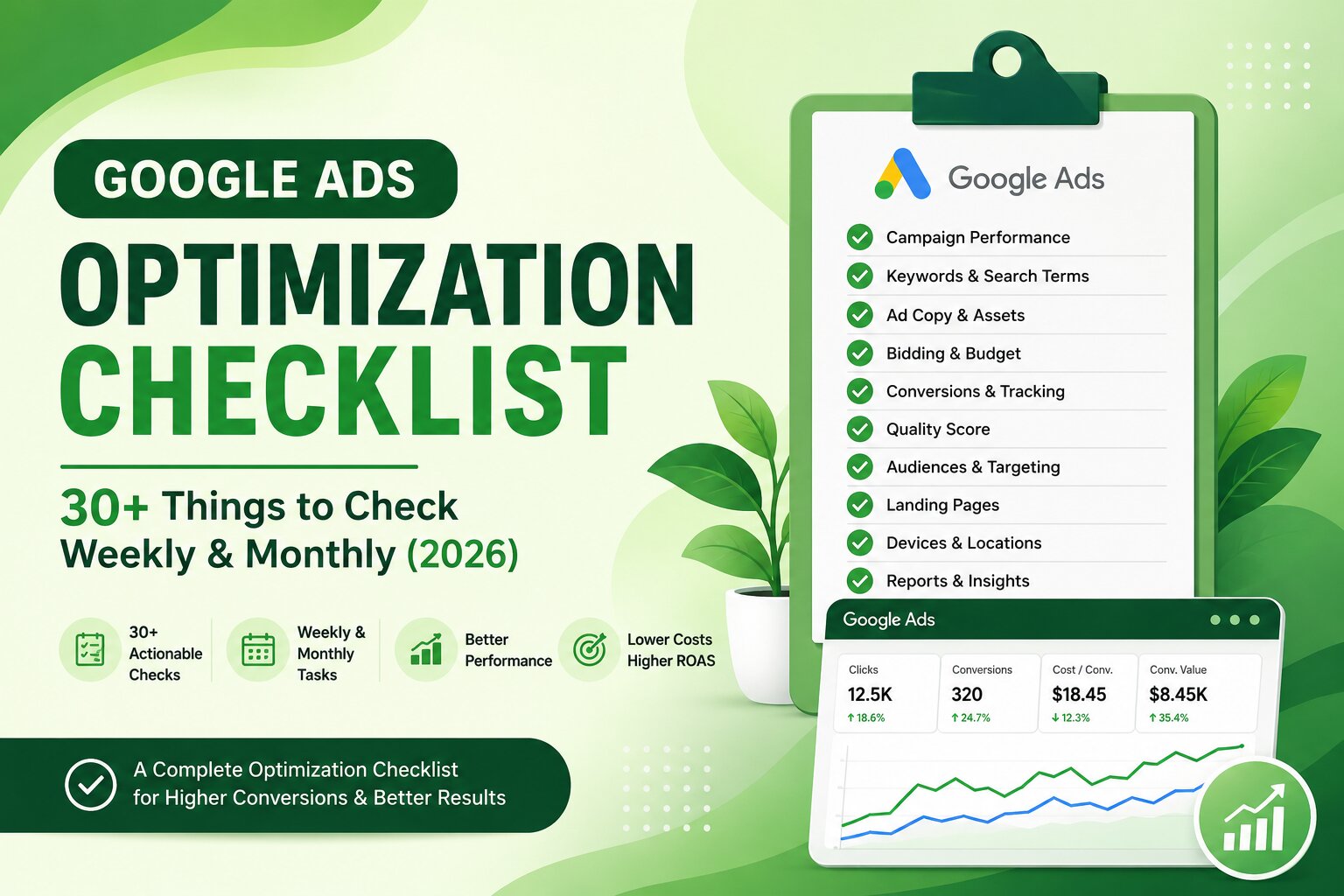
Google Ads Optimization Checklist - 30+ Things to Check (2026)

Category: Google Ads
Running Google Ads is not a set-it-and-forget-it task. Even a well-structured campaign can start wasting budget when search behavior changes, CPCs increase, competitors become more aggressive, or conversion tracking stops working properly.
That is why regular Google Ads optimization is important.
You don't necessarily need to make major changes every day. In fact, making too many changes too frequently can make it harder to understand what is actually improving performance. A better approach is to have a structured Google Ads optimization checklist that you review every week and month.
This guide covers more than 30 things you should check, including keywords, search terms, negative keywords, ads, Quality Score, bidding, budgets, conversions, landing pages, audience performance, and overall account health.
If you want to understand the broader strategy behind campaign optimization, you can also read our guide on The best Google Ads strategy for local businesses in 2026.
Why Regular Google Ads Optimization Matters
Google Ads performance can change quickly.
A keyword that generated five good leads last month may start attracting irrelevant searches this month. A campaign that had a healthy CPA may become expensive because of increased competition. An ad that previously generated a strong CTR may lose its effectiveness after competitors change their messaging.
Regular optimization helps you identify these changes before they become expensive problems.
The goal isn't simply to get more clicks. Your focus should be on getting relevant traffic, qualified leads, sales, and profitable conversions.
Metrics such as:
- Click-through rate (CTR)
- Cost per click (CPC)
- Conversion rate
- Cost per conversion
- Return on ad spend (ROAS)
- Conversion value
- Impression share
- Search terms
- Quality Score
can help you understand where your budget is going and where improvements are needed.
Weekly Google Ads Optimization Checklist
The following checks should ideally be completed every week. Some may take only a few minutes, while others require deeper analysis.
1. Check Campaign Spend
Start by checking how much each campaign has spent compared with its daily and monthly budget.
Look for:
- Campaigns spending too quickly
- Campaigns consistently underspending
- Sudden increases in spend
- Campaigns with little or no spend
- Budget-limited campaigns
Don't automatically increase the budget just because a campaign is spending its full amount. First determine whether the additional spend is producing profitable conversions.
2. Review Conversions
Check the number of conversions generated by each campaign, ad group, keyword, and asset.
Ask:
- Which campaigns generated conversions?
- Which campaigns spent money without conversions?
- Are conversions increasing or declining?
- Are the conversions actually valuable?
This is especially important for lead generation campaigns because a recorded form submission doesn't necessarily mean a qualified lead.
For a detailed setup guide, see How to Set Up Conversion Tracking in Google Ads.
3. Check Cost Per Conversion
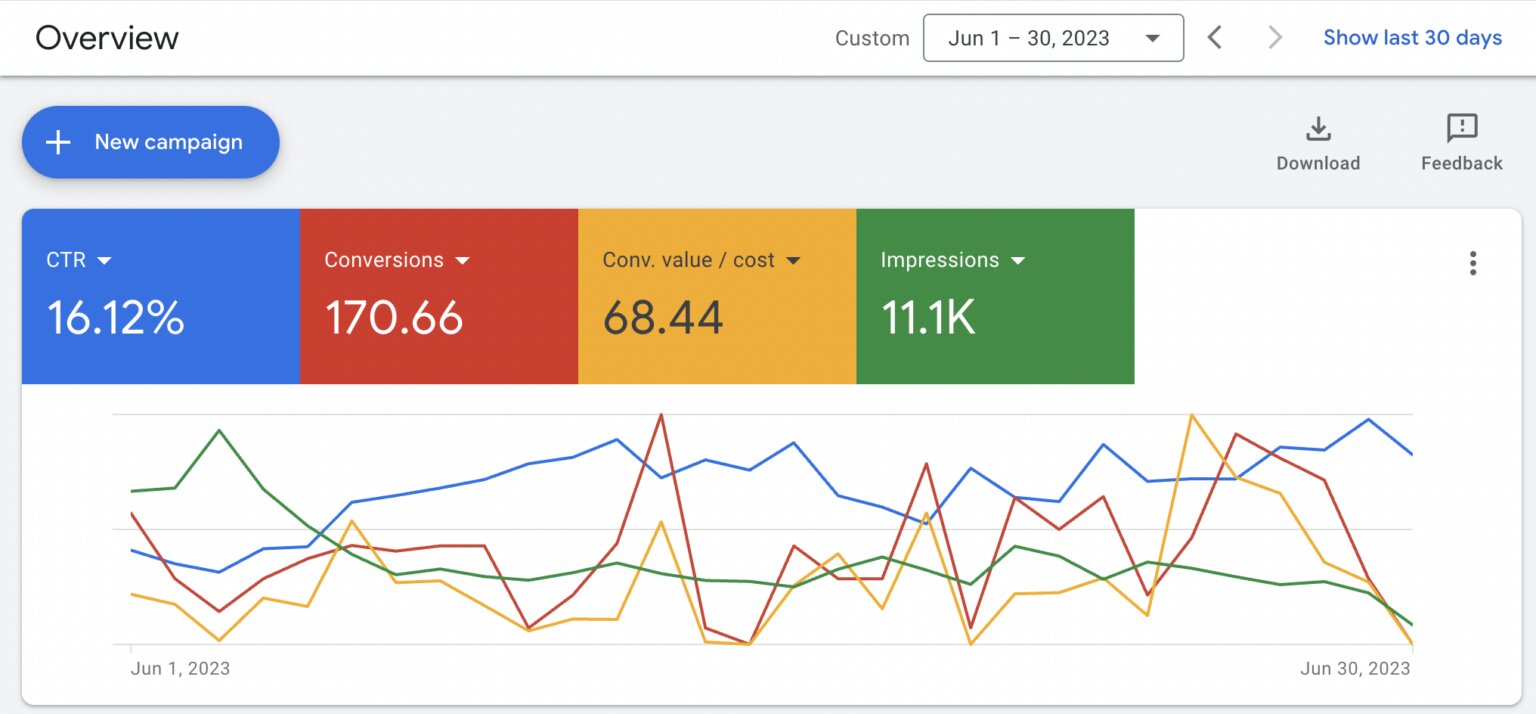
A campaign may generate more conversions while becoming less profitable.
Compare:
Cost Per Conversion = Total Cost ÷ Conversions
Don't evaluate CPA in isolation. Compare it against your actual customer acquisition target and the value of the customers generated.
4. Analyze the Search Terms Report
The search terms report is one of the most important areas of weekly Google Ads campaign optimization.
Look for searches that are:
- Irrelevant
- Too broad
- Informational
- Outside your service area
- Looking for free products or services
- Related to jobs or careers
- Looking for competitors when that isn't part of your strategy
This report tells you what users actually searched before clicking your ads.
5. Add Negative Keywords
Once you've reviewed search terms, add relevant negative keywords.
For example, a company selling premium software may want to exclude searches containing:
- free
- jobs
- salary
- course
- tutorial
- definition
- download
The exact negatives depend on the business.
Don't blindly add every low-converting search as a negative. Check whether the search has genuine commercial potential first.
6. Identify High-Performing Keywords
Find keywords generating:
- Conversions
- Strong conversion rates
- Good conversion value
- Reasonable CPA
- High-quality traffic
These keywords deserve more attention and, where appropriate, more budget.
7. Review High-Spend, Zero-Conversion Keywords
One of the simplest ways to identify wasted Google Ads spend is to look for keywords that have spent significantly more than your acceptable acquisition cost without producing conversions.
However, don't pause a keyword simply because it has received a few clicks without converting.
Look at enough data to make a reasonable decision.
8. Check Keyword Match Types
Review whether your current combination of broad, phrase, and exact match keywords is still appropriate for your account.
The right balance depends on:
- Conversion volume
- Search intent
- Budget
- Account maturity
- Quality of conversion data
Don't use a match type simply because it is considered a "best practice." Use it based on performance and the amount of control your account requires.
9. Review CTR
Check CTR by campaign, ad group, keyword, and ad.
A falling CTR can indicate:
- Weak messaging
- Poor keyword relevance
- Increasing competition
- Search intent mismatch
- Ad fatigue
- Irrelevant queries
CTR shouldn't be your only optimization metric, but a significant change deserves investigation.
10. Check CPC
Monitor your average CPC and identify keywords where CPC has increased substantially.
Higher CPCs can result from increased competition, changes in auction dynamics, lower Quality Score, or bidding strategy changes.
If reducing CPC is one of your goals, see our guide on How to Reduce Cost Per Click in Google Ads.
11. Review Quality Score
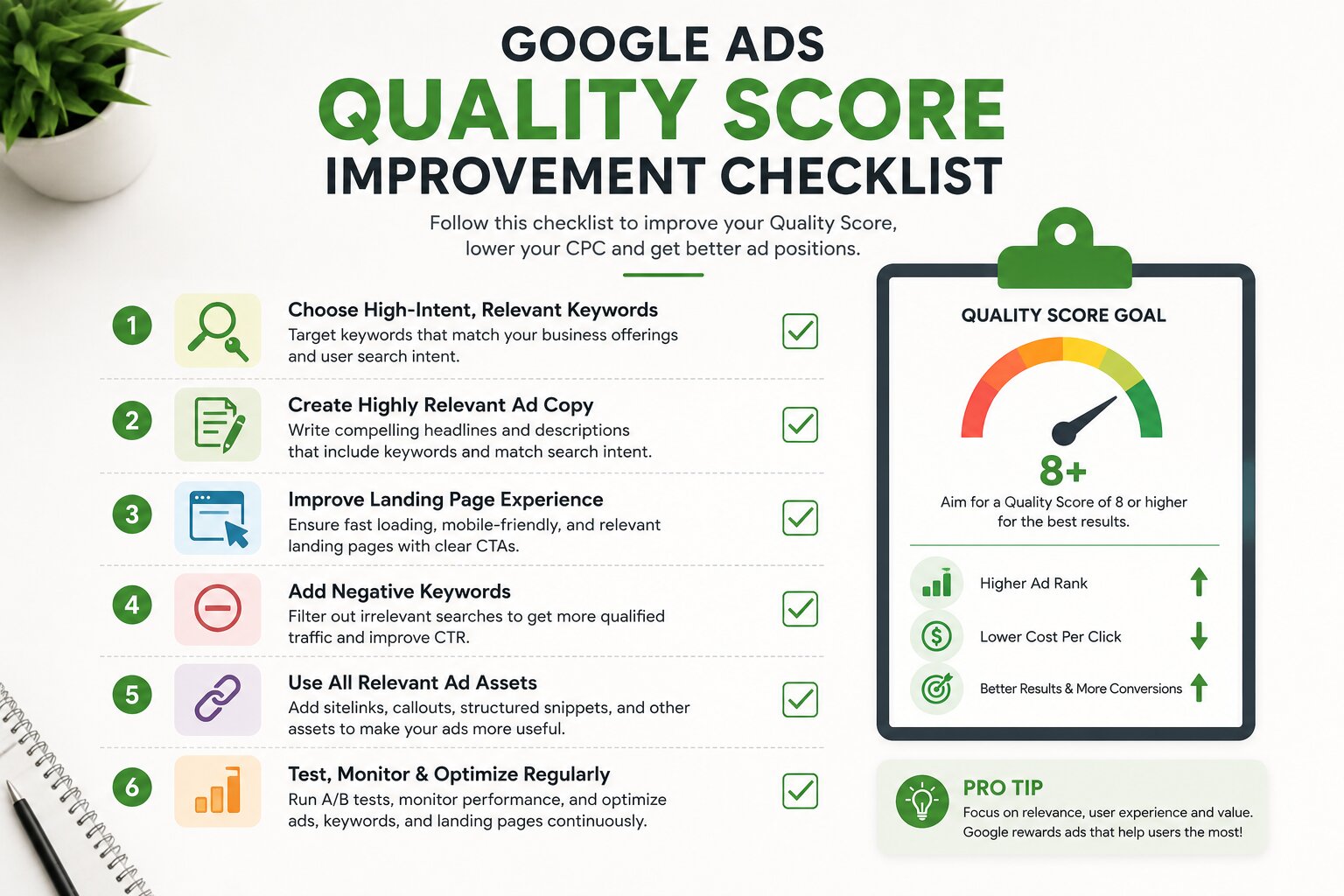
For Search campaigns, review Quality Score and its components:
- Expected CTR
- Ad relevance
- Landing page experience
Don't obsess over getting every keyword to a score of 10.
Instead, focus on important keywords with poor scores that are receiving significant traffic or spend.
Our guide on Google Ads Quality Score and how to improve it covers this in more detail.
12. Check Ad Relevance
Ask whether the ad actually matches the keyword and search intent.
For example, someone searching for "Google Ads management agency" should see messaging specifically related to Google Ads management rather than a generic digital marketing advertisement.
Better relevance can improve both user experience and campaign efficiency.
13. Review Responsive Search Ads
Check whether your responsive search ads are still producing useful results.
Look at:
- Headlines
- Descriptions
- Asset combinations
- CTR
- Conversions
- Conversion rate
Replace weak messaging with new variations rather than constantly editing everything at once.
14. Check Ad Assets
Review your available assets, including:
- Sitelinks
- Callouts
- Structured snippets
- Call assets
- Image assets
- Location assets where applicable
Make sure assets are relevant, accurate, and aligned with the offer.
15. Review Device Performance
Compare performance across:
- Mobile
- Desktop
- Tablet
Look for major differences in conversion rate, CPA, CPC, and conversion value.
If mobile traffic converts poorly, investigate the landing page experience before making aggressive bid adjustments.
16. Check Location Performance
Review which cities, regions, or countries are producing conversions.
A campaign targeting multiple locations may look profitable overall while a few locations are consuming most of the budget without generating results.
Consider reallocating budget based on actual performance.
17. Review Day and Time Performance
Check performance by:
- Day of week
- Hour of day
This can reveal patterns such as high spending during hours when sales teams are unavailable or low-quality traffic during specific periods.
Don't make schedule changes based on very small data sets.
18. Check Audience Signals and Segments
Review audience performance where audience reporting is available.
Look for valuable segments such as:
- Previous website visitors
- Customer lists
- High-intent audiences
- Relevant in-market audiences
Use audience data as an additional layer of insight rather than automatically restricting campaigns without evidence.
Monthly Google Ads Optimization Checklist
Weekly checks help control waste. Monthly reviews should go deeper and focus on the overall health and direction of the account.
19. Compare Month-over-Month Performance
Compare the current month with the previous month.
Review:
| Metric | What to Check |
|---|---|
| Spend | Increasing or decreasing? |
| Clicks | Traffic trend |
| CTR | Engagement trend |
| CPC | Cost trend |
| Conversions | Lead/sales trend |
| Conversion Rate | Traffic quality |
| CPA | Acquisition efficiency |
| Conversion Value | Revenue trend |
| ROAS | Profitability indicator |
Don't judge performance based on one metric alone.
20. Review Budget Allocation
Identify where your budget is currently going.
Ask:
- Are profitable campaigns getting enough budget?
- Are low-performing campaigns consuming too much?
- Are budget limits restricting high-performing campaigns?
- Are there campaigns that should be consolidated?
Budget optimization should follow performance rather than simply being divided equally.
21. Review Bidding Strategies
Check whether your current bidding strategy still matches your campaign objective.
Depending on the account, you may use strategies such as:
- Maximize Clicks
- Maximize Conversions
- Target CPA
- Maximize Conversion Value
- Target ROAS
Avoid changing bidding strategies repeatedly just because performance fluctuates for a few days.
Automated bidding needs sufficient data and stability to work effectively.
22. Audit Conversion Tracking
This should be a monthly priority.
Test your important conversion actions manually.
Check:
- Forms
- Phone calls
- Purchases
- Appointment bookings
- Lead forms
- WhatsApp or contact actions
- Conversion values
- Duplicate conversions
Also check whether the correct conversion actions are being used for campaign optimization.
A campaign cannot optimize properly if Google Ads is receiving incorrect conversion data.
For a deeper analytics setup, you can also read our GA4 Setup Guide for Beginners.
23. Review Landing Pages
Google Ads optimization doesn't end inside Google Ads.
Review the pages receiving paid traffic.
Check:
- Page speed
- Mobile experience
- Headline relevance
- CTA visibility
- Form usability
- Trust signals
- Offer clarity
- Contact information
- Content relevance
A great advertisement cannot compensate for a poor landing page.
If you are sending traffic to a service page, make sure the page clearly answers what the visitor is looking for.
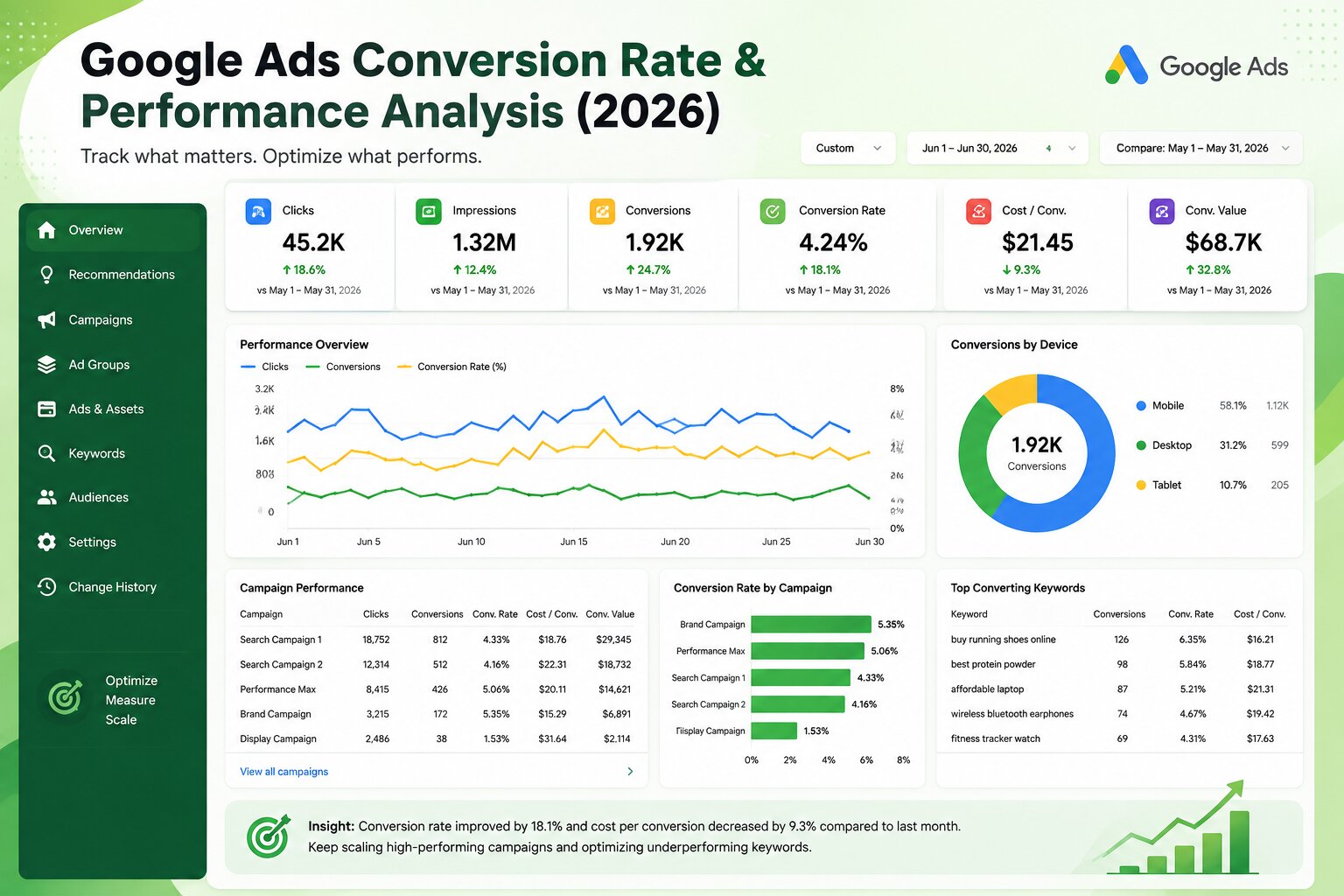
24. Review Conversion Rate
Look at conversion rate by:
- Campaign
- Ad group
- Keyword
- Device
- Location
- Landing page
If clicks are increasing but conversions aren't, investigate the entire funnel rather than simply changing the ads.
For industry benchmarks and context, see What Is a Good Conversion Rate in Google Ads?.
25. Review Impression Share
Check impression share and lost impression share due to:
- Budget
- Ad Rank
If a profitable campaign is losing impressions because of budget, increasing budget may make sense.
If impressions are being lost because of Ad Rank, investigate bids, Quality Score, ad relevance, and landing page experience first.
26. Review Competitor Activity
Keep an eye on changes in the competitive landscape.
Look for:
- New advertisers
- More aggressive offers
- Higher CPCs
- Changes in ad messaging
- Competitors appearing more frequently
Your response shouldn't always be "increase the bid." Improving relevance and your overall offer can be more effective.
27. Audit Campaign Structure
Monthly is a good time to review whether your account structure still makes sense.
Check:
- Campaign naming
- Ad groups
- Keyword organization
- Location structure
- Brand vs non-brand campaigns
- Search vs Performance Max
- Remarketing campaigns
- Duplicate targeting
A complicated account isn't necessarily a better account.
The structure should make it easy to understand performance and allocate budget.
28. Review Performance Max Campaigns
If you're running Performance Max, review:
- Asset group performance
- Search category insights
- Conversion value
- Product performance
- Audience insights
- Location performance
- Budget utilization
- Brand traffic
- New customer performance where applicable
For eCommerce accounts, product feed quality should also be reviewed regularly.
You can learn more about scaling eCommerce campaigns in our guide on Google Ads for eCommerce.
29. Check Tracking and Analytics Integrations
Make sure Google Ads is correctly connected with the systems you rely on, such as:
- Google Analytics 4
- Google Tag Manager
- CRM
- Call tracking platform
- Merchant Center
- Offline conversion imports
Check whether data is flowing correctly.
A broken integration can remain unnoticed while campaign decisions continue to be made using inaccurate numbers.
30. Review Lead Quality
This is particularly important for lead-generation campaigns.
Google Ads may report 100 conversions, but how many were actually:
- Relevant?
- Qualified?
- Contactable?
- Sales-ready?
- Converted into customers?
Whenever possible, connect advertising data with CRM or sales data.
The cheapest lead isn't always the best lead.
31. Review Search Intent
Every month, revisit your keyword and search-term strategy.
Separate traffic into:
- Informational intent
- Commercial investigation
- Transactional intent
- Navigational intent
Your advertising budget should generally prioritize searches that can realistically lead to business results.
This is also one of the issues covered in our article on Common Google Ads mistakes that waste your budget.
32. Check Mobile Landing Page Experience
Don't just check whether your website technically works on mobile.
Actually use the website as a customer would.
Test:
- Page loading
- Menu navigation
- Form completion
- Click-to-call
- WhatsApp buttons
- Checkout
- CTA visibility
A large percentage of paid traffic can come from mobile devices, so even small usability problems can affect campaign performance.
33. Review Your Best and Worst Campaigns
At the end of every month, create two simple lists:
Top performers
- Best campaigns
- Best keywords
- Best ads
- Best locations
- Best landing pages
Underperformers
- High-spend keywords
- Expensive campaigns
- Poor locations
- Low-converting landing pages
- Weak ads
This makes the next month's optimization plan much easier.
34. Create an Action Plan for the Next Month
Don't finish your audit with a spreadsheet full of numbers and no action.
Create three categories:
Keep
What is working and should remain unchanged?
Improve
What needs testing or refinement?
Stop
What is consistently wasting budget?
Then assign priorities.
For example:
- Fix conversion tracking
- Add negative keywords
- Improve high-spend landing pages
- Test new ad messaging
- Reallocate campaign budgets
This keeps Google Ads account optimization focused instead of turning it into random changes.
Quick Google Ads Optimization Checklist
Use this condensed version when you need a quick weekly review:
Weekly
- Check campaign spend
- Check conversions
- Check CPA
- Review search terms
- Add negative keywords
- Review high-performing keywords
- Review high-spend keywords
- Check match types
- Review CTR
- Check CPC
- Review Quality Score
- Check ad relevance
- Review responsive search ads
- Check ad assets
- Review device performance
- Review location performance
- Check day/time performance
- Review audience performance
Monthly
- Compare month-over-month results
- Review budget allocation
- Review bidding strategy
- Audit conversion tracking
- Review landing pages
- Analyze conversion rate
- Check impression share
- Review competitor activity
- Audit campaign structure
- Review Performance Max
- Check analytics integrations
- Review lead quality
- Revisit search intent
- Test mobile landing pages
- Identify top and bottom performers
- Create next month's optimization plan
How Often Should You Optimize Google Ads?
The answer depends on account size, budget, conversion volume, and campaign type.
For smaller accounts, a detailed weekly review combined with a deeper monthly audit may be enough.
Larger accounts with significant daily spend may require more frequent monitoring.
The important thing is not to change something simply because you opened the account.
Review frequently. Change strategically. Measure the result.
That approach is much more reliable than constantly changing bids, keywords, ads, and budgets without a clear reason.
Final Thoughts
A successful Google Ads account is rarely built through one big optimization.
It usually comes from dozens of small improvements made consistently over time.
Removing irrelevant search terms, improving ad relevance, fixing conversion tracking, reallocating budgets, improving landing pages, and identifying high-quality traffic can collectively make a significant difference to campaign profitability.
If you don't have the time to monitor all these areas yourself, professional Google Ads management services can help keep your campaigns monitored and optimized on an ongoing basis.
At Scale With Clicks, the focus is not just on generating clicks. The objective is to help businesses generate better-quality traffic, leads, sales, and measurable returns from paid advertising.
The best Google Ads optimization strategy is simple:
Don't optimize for more traffic. Optimize for better business results.
FAQs
How often should Google Ads campaigns be optimized?
Most accounts should be reviewed weekly, while a deeper performance and tracking audit should be completed monthly. High-spend accounts may require more frequent monitoring.
What should I check first when optimizing Google Ads?
Start with conversions, CPA, spend, search terms, and conversion quality. These tell you whether your budget is producing meaningful business results.
How do I reduce wasted Google Ads spend?
Review search terms regularly, add relevant negative keywords, identify high-spend non-converting keywords, improve targeting, and make sure conversion tracking is accurate.
Is Quality Score important for Google Ads optimization?
Quality Score is useful for diagnosing keyword and ad relevance issues. However, don't optimize solely for a higher Quality Score. Focus on conversions, profitability, and user experience.
Should I change my Google Ads bidding strategy every month?
No. Frequent bidding strategy changes can make performance unstable. Evaluate whether the current strategy matches your conversion volume, campaign objective, and available data before making a change.